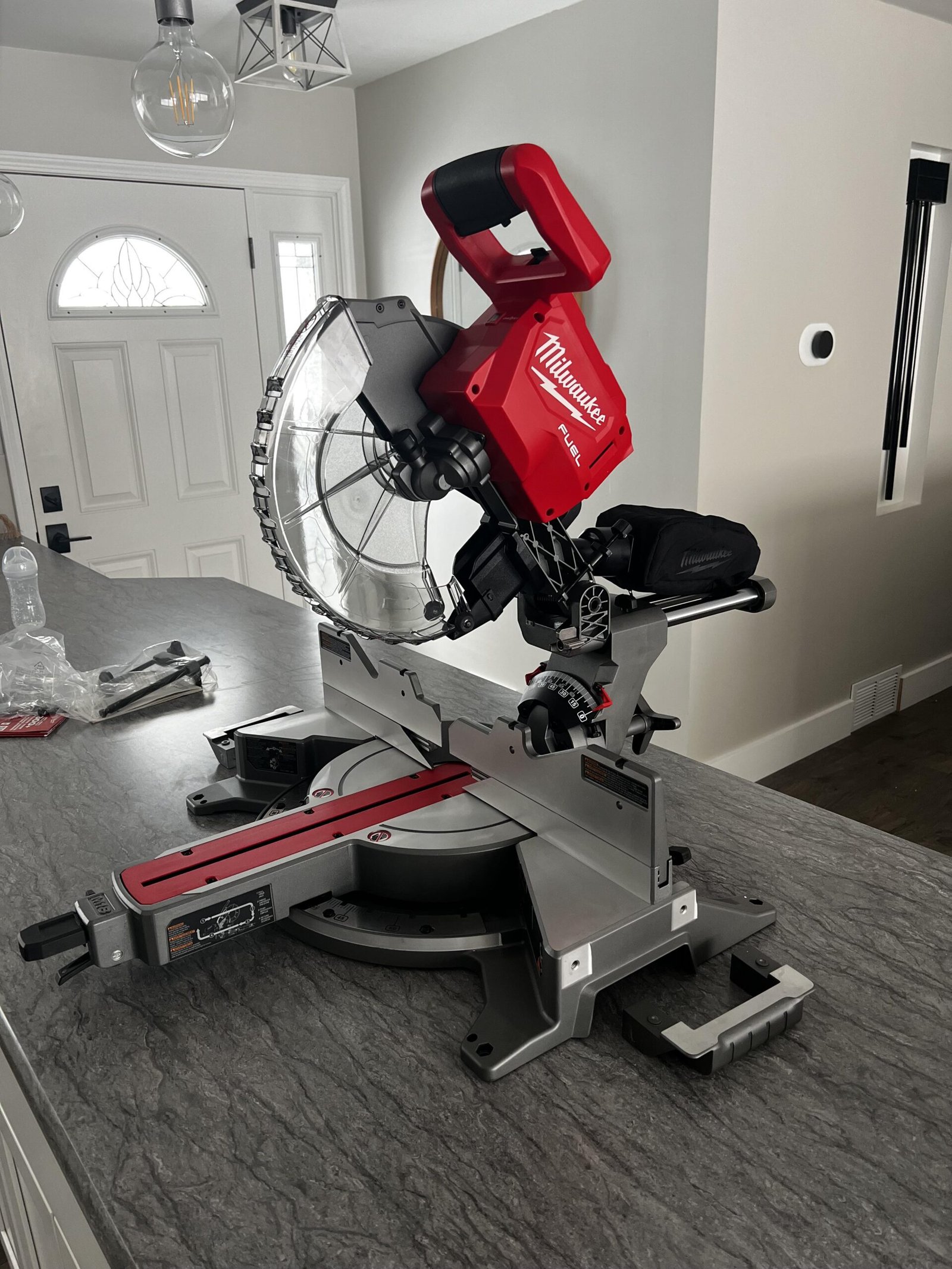
Miter Saw Won’t Start: Quick Fixes To Try
A miter saw won’t start when power, safety switches, brushes, wiring, or the motor has a fault.
A miter saw that suddenly stops can ruin a project and create a real safety concern. In most cases, the cause is simple, such as a loose power cord, locked trigger, bad switch, tripped breaker, or worn carbon brushes. This guide explains how to find the fault safely, what you can repair at home, and when the saw needs professional service.

Safety steps before troubleshooting
Before checking why a miter saw won’t start, unplug it from the wall. Do not test switches, wires, or motor parts while the saw is connected to power.
A saw may look inactive but still have stored electrical energy. Some models also have sharp blade movement caused by a failed switch or damaged control part. Treat the tool like a quiet machine that can wake up without warning.
Follow these basic safety steps:
• Unplug the saw before removing any cover.
• Keep your finger away from the trigger.
• Remove the blade if you need to work near the motor or guard.
• Wear safety glasses when inspecting damaged parts.
• Do not bypass the trigger lock or safety switch.
• Keep the work area dry and well lit.
• Use the owner’s manual for model-specific instructions.
If you smell burning, see smoke, find melted plastic, or hear loud electrical buzzing, stop troubleshooting. These signs may point to a damaged motor, switch, circuit board, or wire.

Why your miter saw won’t start
A miter saw can fail to start for several reasons. Corded models often have power supply or switch problems. Cordless models may have a flat battery, poor battery contact, or an electronic fault.
The most common causes include:
• The outlet has no power.
• The circuit breaker has tripped.
• The power cord is cut or loose.
• The battery is empty or too cold.
• The battery is not seated correctly.
• The trigger lock is still engaged.
• The safety switch has failed.
• Carbon brushes are worn.
• The armature or motor is damaged.
• Sawdust has blocked a moving part.
• An internal wire has come loose.
• The thermal overload protector has activated.
Many users assume a dead motor is the problem. In practice, the fault is often farther up the chain. Electricity must travel through the outlet, cord, switch, safety control, and motor before the blade can spin. One weak link stops the whole saw.

Check the power supply first
Start with the easiest test. Plug another working tool or lamp into the same outlet. If that item also fails, the outlet or circuit is the likely problem.
Reset the breaker once if it has tripped. If it trips again, unplug the saw and stop using that circuit until you find the cause. A repeated trip may signal an overload, short circuit, damaged cord, or motor fault.
If you use an extension cord, check its rating and length. A thin or very long cord can cause voltage drop and prevent a high-current tool from starting. It may also heat up during use.
For a corded saw, inspect the plug and cord from end to end. Look for:
• Cracks in the insulation.
• Exposed copper.
• Flattened areas.
• Burn marks near the plug.
• Loose wires at the strain relief.
• A plug that feels hot after use.
Never repair a badly damaged cord with tape. Replace it with a correct replacement part or have a qualified repair technician fit one.

Inspect the battery on a cordless miter saw
When a cordless miter saw won’t start, the battery is the first part to test. Place the battery on its charger and check whether the charger shows a normal charging signal.
A battery can appear full but still fail under load. Try a second compatible battery if one is available. This simple test can separate a battery problem from a saw problem.
Check the battery contacts for dust, rust, or damage. Clean light dust with a dry cloth. Do not scrape the contacts with a metal object or spray liquid into the battery slot.
Cold batteries may also refuse to deliver enough current. Let the battery reach room temperature before charging or testing it. Do not heat a battery with a heater, hair dryer, or open flame.
Replace the battery if it is swollen, cracked, leaking, or unusually hot. Lithium-ion batteries can be dangerous when damaged. Recycle them through a proper battery collection service rather than putting them in household trash.

Check the trigger and safety lock
Most miter saws have a trigger lock or safety button. This control prevents accidental starts, but it can become stiff or fail with age.
Hold the saw handle as you normally would and check whether the safety button moves freely. Do not force it. Sawdust, dried grease, or a broken plastic part may block its movement.
A common real-world mistake is pressing the trigger before fully releasing the saw head. Some models need the lock button pressed first, while others require a specific sequence. Read the diagram in the manual because switch layouts differ by brand.
Do not tape down, remove, or bypass the safety lock. That may make the miter saw start, but it removes a key protection against accidental blade movement. A replacement switch is safer and often less costly than an injury.

Look for a tripped thermal protector
A miter saw may stop after a long cut, a heavy cut, or a jam. This can happen when the motor becomes too hot. Many saws include thermal protection that cuts power until the motor cools.
Unplug the tool and let it rest for 20 to 30 minutes. Keep the vents clear while it cools. Do not cover the motor or place the saw near a heater.
After cooling, inspect the blade and workpiece. A dull blade, wrong blade type, or forced cut can make the motor work far harder than normal. The saw should cut at its own pace. Pushing it through wood is like forcing a car uphill in the wrong gear.
If the saw repeatedly overheats during light work, do not keep resetting it. The motor, bearings, switch, or ventilation system may need service.

Inspect the blade and moving parts
A jammed blade can make a miter saw appear dead. With the saw unplugged, raise and lower the arm by hand. It should move smoothly without binding.
Check for:
• Wood chips packed around the blade guard.
• A blade that touches the kerf plate.
• A loose arbor bolt.
• A bent blade.
• A damaged lower guard.
• A workpiece trapped between the blade and fence.
• Sawdust blocking the arm or guard.
Do not reach near the blade teeth to remove a jam. Use a brush, stick, or suitable tool while the saw remains unplugged. If the blade is bent or cracked, replace it immediately.
A dull blade can also cause electrical trouble. It increases load on the motor and may activate the thermal protector. Use a blade made for your material, with the correct diameter, arbor size, and speed rating.

Test the power cord and switch
If the outlet works and the cord looks sound, the switch may be the cause. A switch can wear out from repeated use, dust, heat, or internal arcing.
Some symptoms point toward a bad switch:
• The saw starts only when you press the trigger hard.
• The motor cuts out when you move the handle.
• The trigger feels loose or rough.
• You hear a click but no motor sound.
• The saw starts intermittently.
Testing continuity with a multimeter can help, but only if you understand electrical testing. Disconnect the cord, follow the manual, and test the switch outside the live circuit. Never use a continuity test on an energized saw.
If you are not trained to identify electrical terminals, stop at visual inspection. A wrong connection can cause shock, fire, or motor damage. A repair shop can usually confirm a failed switch quickly.
Check carbon brushes and motor parts
Many corded miter saws use carbon brushes to transfer electricity to the rotating motor. Brushes wear down over time. When they become too short, the motor may stop, run weakly, spark heavily, or work only in certain positions.
Some models have external brush caps. Others require partial disassembly. Replace brushes as a matched set and use the correct part for the exact model.
Worn brushes are not the only possible motor fault. The following parts can also fail:
• Armature.
• Field windings.
• Bearings.
• Commutator.
• Motor fan.
• Internal thermal protector.
Heavy sparks, a burning smell, grinding, or a loud hum may suggest deeper motor damage. A humming motor that does not spin may have a jammed armature or serious electrical fault. Do not keep pulling the trigger in this condition.
I once saw a saw blamed on its motor when the real issue was a brush cap packed with fine dust. Cleaning and replacing the brushes solved the problem. The lesson is simple: inspect small, accessible parts before assuming the most expensive failure.
Troubleshoot a miter saw that hums but does not spin
If the miter saw makes a hum but the blade does not turn, unplug it at once. A hum usually means that power reaches part of the motor, but the motor cannot rotate correctly.
Possible causes include:
• A blocked blade.
• A seized bearing.
• A damaged armature.
• A failed start component.
• Worn brushes.
• A shorted motor winding.
Never try to spin the blade by hand while the saw is connected. Remove the battery or unplug the cord first. Then check for a mechanical blockage.
If the blade turns freely but the motor only hums, professional diagnosis is usually the best option. Repeated attempts can overheat the windings and turn a small repair into a full motor replacement.
Troubleshoot a miter saw with no sound at all
When a miter saw won’t start and makes no sound, begin with the outlet, breaker, battery, cord, and switch. A completely silent tool often has an open electrical path.
Use this order:
-
Confirm that the outlet works.
-
Reset the breaker if needed.
-
Test a known-good battery on cordless models.
-
Inspect the cord and plug.
-
Check the trigger lock.
-
Look for a thermal reset or overload indicator.
-
Inspect the switch and brushes if the manual allows it.
This order saves time because it moves from simple checks to complex checks. It also reduces the risk of opening a tool that only needed a charged battery or working outlet.
If the saw remains silent after these checks, the switch, internal fuse, wire, circuit board, or motor may have failed.
When to repair or replace the saw
Repair makes sense when the problem is a cord, switch, brush set, battery, or other common part. These repairs are often practical if replacement parts are available and the rest of the saw is in good shape.
Replacement may be more sensible when:
• The motor and control board both show damage.
• The saw has major housing cracks.
• Replacement parts are no longer available.
• Repair cost approaches the price of a new saw.
• The saw has a history of repeated electrical faults.
Check the warranty before opening the tool. Unauthorized repairs may affect warranty coverage. Keep the model number, serial number, and purchase details ready when contacting the manufacturer.
Use genuine or properly rated replacement parts. A part that fits physically may still have the wrong current rating, speed rating, or safety design.
How to prevent starting problems
Good care helps prevent a miter saw from failing during a project. Clean the saw after each work session, especially around the motor vents, switch, lower guard, and table.
Use these habits:
• Blow or brush away dust with the tool unplugged.
• Keep the blade sharp and correctly installed.
• Do not force the saw through thick stock.
• Store batteries in a cool, dry place.
• Avoid dragging the saw by its power cord.
• Inspect the cord before each use.
• Use the correct extension cord when one is necessary.
• Let the motor cool during long cutting sessions.
• Keep the fence and table free of offcuts.
• Follow the maintenance schedule in the manual.
A dust extractor can reduce fine dust around the motor, but it does not replace cleaning. Fine wood dust can act like flour in a kitchen. It reaches small spaces and builds up where you may not see it.
Common mistakes to avoid
The most dangerous mistake is repeatedly pulling the trigger and hoping the saw will suddenly work. This can worsen a motor fault and create heat inside the switch or windings.
Avoid these other errors:
• Testing a damaged cord while it is plugged in.
• Bypassing the trigger lock.
• Using the wrong battery voltage.
• Spraying lubricant into the switch.
• Installing an incorrect blade.
• Removing guards for easier access.
• Resetting a breaker again and again.
• Opening a cordless battery pack.
• Using a metal tool across battery contacts.
These shortcuts may save a few minutes, but they can create shock, fire, or blade hazards. Safe troubleshooting is slower than guessing, yet it is usually faster than repairing damage caused by a rushed test.
Frequently Asked Questions About a Miter Saw Won’t Start
Why won’t my miter saw start even though the outlet works?
The trigger switch, safety lock, power cord, thermal protector, carbon brushes, or motor may be faulty. Check the cord and switch for visible damage, then use the owner’s manual to inspect approved service parts.
Why does my cordless miter saw not start with a charged battery?
The battery may not be making contact, or it may have failed under load. Try another compatible battery, inspect the terminals, and check whether the charger shows an error signal.
Can a dull blade cause a miter saw not to start?
A dull blade can overload the motor and activate thermal protection. It usually causes stopping during a cut rather than a completely silent start failure, but it should still be replaced or sharpened.
How long should I let an overheated miter saw cool?
Allow the saw to cool for at least 20 to 30 minutes in a clear, dry area. If it overheats again during light work, stop using it and have the motor, vents, switch, and blade checked.
Should I replace the carbon brushes myself?
You can replace them yourself if the model has accessible brush holders and you can follow the service instructions safely. Unplug the saw first, use the exact brush type, and replace both brushes as a set.
Is it safe to bypass a miter saw safety switch?
No. Bypassing a safety switch can allow accidental blade movement and may cause serious injury. Replace the failed switch or have a qualified technician repair the saw.
Why does my miter saw hum but not turn?
A hum can indicate a jammed blade, seized bearing, worn brushes, or damaged motor windings. Unplug the saw immediately and check for a mechanical blockage before seeking professional service.
Conclusion
A miter saw won’t start for many reasons, but the fault is often found with a careful, simple check. Start with the outlet, breaker, battery, cord, trigger lock, and thermal protector. Then inspect the blade, switch, brushes, and motor only when it is safe to do so.
Do not bypass safety parts or continue using a saw that smells burned, sparks heavily, or trips the breaker. Take a few minutes to diagnose the problem in the right order, and you may save both money and frustration. Use this guide with your owner’s manual, and share your model and symptoms in the comments if you need more troubleshooting help.