DeWalt Circular Saw Won’t Start: Quick Fix Guide
A DeWalt circular saw won’t start when power, battery, safety switches, or internal parts stop the motor.
A DeWalt circular saw that suddenly refuses to run can be frustrating, especially when you have a job waiting. In most cases, the cause is simple, such as a flat battery, a tripped breaker, a locked blade, or a faulty trigger. This guide explains how to find the problem safely, test each part, and decide whether you need a repair or a replacement.

Start With Safety
Before troubleshooting a DeWalt circular saw won’t start, make the saw safe. A saw can start without warning if power returns or a switch sticks.
Follow these steps:
- Remove the battery from a cordless saw.
- Unplug a corded saw from the outlet.
- Wait for the blade to stop fully.
- Keep your finger away from the trigger.
- Wear safety glasses when inspecting the tool.
- Do not bypass the safety switch or trigger lock.
- Never test a loose blade by touching it.
If the blade is jammed in wood, do not pull the saw free while the trigger is pressed. Release the trigger, disconnect power, and remove the saw only after the blade stops.
A damaged power cord, burned smell, cracked housing, or exposed wire needs extra care. Stop testing the tool and arrange service if you see any of these signs.

Why Your DeWalt Circular Saw Won’t Start
A DeWalt circular saw won’t start for several common reasons. Cordless models often have battery or contact issues, while corded models may have outlet, cord, or switch problems.
The most likely causes include:
• Dead or overheated battery
• Battery not fully locked into place
• Dirty or damaged battery contacts
• Tripped circuit breaker
• Bad wall outlet
• Damaged power cord
• Trigger lock not released
• Blade jam or motor overload
• Carbon brush wear on older models
• Failed trigger switch
• Motor, control board, or wiring fault
The first goal is to separate a power problem from a mechanical problem. If the saw shows no light, sound, or movement, start with the battery, outlet, cord, and switch. If it clicks, hums, or sparks, stop using it until you identify the fault.
Check the Battery or Power Supply
Cordless DeWalt circular saw
If your DeWalt circular saw won’t start and uses a battery, check the battery before opening the tool. Press the battery indicator button. One flashing light or no light usually means the battery needs charging, although indicator patterns vary by battery type.
Place the battery on a compatible DeWalt charger. A normal charger may show a flashing red light while charging and a steady light when charging is complete. If the charger does not recognize the battery, the battery may be too hot, too cold, deeply discharged, or damaged.
Let a hot battery cool at room temperature. Do not place it in a freezer, oven, or near a heater. Lithium-ion batteries work best when stored and used within the temperature range listed in the manual.
Check that the battery clicks firmly into the tool. A battery that sits loosely may not connect to the terminals. Remove it, inspect the rails, and install it again with steady pressure.
Corded DeWalt circular saw
For a corded saw, test the outlet with another known-working device. A switched outlet, tripped ground-fault circuit interrupter, or tripped breaker can make a working saw appear dead.
Inspect the entire cord. Look for:
• Cuts or crushed areas
• Loose plug blades
• Burn marks
• Cracks near the plug
• Damage where the cord enters the saw
Never use tape as a permanent repair for a damaged cord. A replacement cord or professional repair is safer.
One lesson that saves time is to test the power source first. Many people remove the saw housing at once, only to find that the outlet or battery was the real problem.

Inspect the Trigger Lock and Safety Switch
Many DeWalt circular saws use a lock-off button near the trigger. This prevents accidental startup. The saw may not run if the lock button is not pressed in the correct direction.
Hold the saw in a normal grip. Press the lock-off button, then squeeze the trigger. Do not force the button. If it feels stuck, the switch may have dust, resin, or internal damage.
Check for these signs:
• The lock button does not move
• The trigger feels loose
• The trigger stays pressed
• The saw runs only when the trigger is held at one angle
• The switch makes no click
Do not spray oil or water into the trigger. Liquid can damage electrical parts and may create a shock risk. Use only cleaning methods approved in the tool instructions.
If the trigger works sometimes and fails at other times, stop using the saw. An intermittent switch can fail during a cut, which is both a tool problem and a safety hazard.

Check for a Jammed or Locked Blade
A DeWalt circular saw won’t start if the motor cannot turn freely. A blade may be trapped in wood, or the arbor may be packed with sawdust.
Disconnect the battery or power cord. Then check whether the blade turns by hand. Use gloves and hold the blade only by its sides, not by the teeth. It should move with some resistance, but it should not be completely locked.
Look for:
• Wood trapped around the blade
• A bent blade
• A loose arbor bolt
• A tight or damaged blade washer
• Heavy sawdust near the blade guard
• A guard that does not retract
Do not turn the blade with the trigger connected to power. If the blade is jammed during a cut, place the saw on a stable surface before inspecting it.
A dull or warped blade can also overload the motor. Replace damaged blades with the correct diameter, arbor size, and tooth direction. The blade guard must move freely after the new blade is installed.
Reset the Saw After an Overload
Some DeWalt saws may stop after a heavy cut, especially when the blade binds or the motor becomes too hot. Cordless batteries and electronic controls can also shut down to protect the tool.
If the saw stops during work:
- Release the trigger.
- Remove the battery or unplug the saw.
- Let the tool cool for 15 to 30 minutes.
- Remove packed sawdust from the blade area.
- Check the blade for damage.
- Try a fully charged battery or a known-good outlet.
Do not keep pressing the trigger when the motor will not turn. Repeated attempts can heat the switch, battery, wiring, or motor.
If the tool starts again after cooling but stops often, the problem may be more than heat. A dull blade, forced cut, blocked air vent, worn brush, or failing motor can cause repeated overloads.

Clean the Battery Contacts and Air Vents
Dirty contacts can prevent a cordless DeWalt circular saw from receiving power. Remove the battery and inspect the metal contacts on both the battery and the tool.
If you see light dust, wipe the contacts with a clean, dry cloth. For stubborn dirt, use a small amount of electrical contact cleaner only if the product label allows it. Let the cleaner dry fully before installing the battery.
Avoid these methods:
• Do not scrape contacts with a sharp metal tool
• Do not pour cleaner into the battery
• Do not use water
• Do not bend the terminals
• Do not sand away the contact coating
Also clean the motor vents with a soft brush or compressed air. Hold the air nozzle at a distance and avoid forcing dust deeper into the housing.
Good airflow matters. Sawdust acts like a blanket around the motor. It traps heat and can shorten the life of electronic parts.
Test for a Faulty Battery
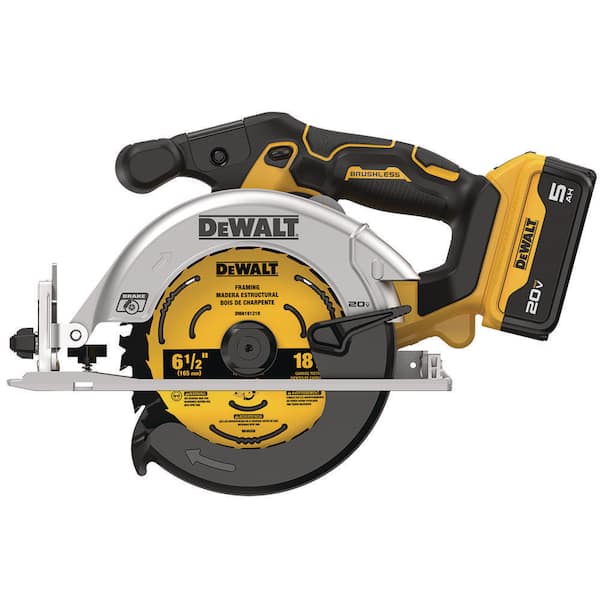
Sometimes the saw is fine, but the battery is not. A battery can show a charge light and still fail under load.
If possible, test the saw with another compatible, fully charged DeWalt battery. Test the original battery in another compatible tool. This simple swap can identify the faulty part.
The results may look like this:
• The saw works with another battery: the first battery is likely weak or damaged.
• The original battery fails in another tool: replace or service the battery.
• Both batteries fail in the saw: inspect the tool, contacts, trigger, or control system.
• The battery and saw become hot quickly: stop testing and seek service.
Use only batteries approved for your DeWalt model. A battery with a damaged case, swelling, leakage, or unusual heat should not be charged or used.
Battery age also matters. Lithium-ion packs lose capacity over time and may fail to deliver enough current for a high-load tool. A battery that runs a small light may still be unable to start a circular saw.

Inspect the Blade, Guard, and Arbor
A mechanical problem can make a DeWalt circular saw won’t start symptom look like an electrical failure. The motor may be trying to work, but a locked blade or damaged arbor prevents movement.
Remove the battery or unplug the saw. Check that the lower guard retracts and returns smoothly. A guard filled with resin or fine dust can bind against the blade.
Inspect the blade for:
• Missing or bent teeth
• Warped steel
• Burn marks
• Resin buildup
• Incorrect installation
• A wrong arbor hole size
Confirm that the arbor bolt is tight according to the instructions. Do not over-tighten it. Too much force can damage the arbor or make future blade changes difficult.
If the blade wobbles, stop using the saw. Wobble can point to a bent blade, damaged washer, loose bolt, or arbor issue. These parts need correction before the saw returns to service.
Look for Electrical or Motor Failure
If the power source, switch, blade, and battery all pass inspection, the fault may be inside the saw. Common internal failures include a worn trigger, broken wire, damaged control board, failed motor, or worn carbon brushes.
Older corded models may use replaceable carbon brushes. Worn brushes can cause weak power, intermittent operation, sparks, or a complete failure to start. Brush replacement must match the exact model and should follow the service instructions.
Cordless models often use electronic controls. The control board may shut down the tool when it detects excess current, heat, or another fault. Do not connect wires together to bypass the board.
A multimeter can help a trained person check continuity in a cord, switch, or fuse. However, live voltage testing inside a power tool is dangerous. If you are not trained to work around electricity, use an authorized repair center.
Stop immediately if you notice:
• A burnt electrical smell
• Smoke
• Heavy sparking
• Melted plastic
• A hot switch
• A damaged circuit board
• A motor that hums but will not turn
A repair may cost less than a new saw, but that depends on the model, part availability, labor, and tool age. Ask for an estimate before approving major work.
What to Do When the Saw Hums but Does Not Run
A humming sound usually means the saw receives power, but the motor cannot start or turn correctly. A jammed blade, failed switch, worn brushes, or motor fault may be responsible.
Disconnect power first. Try to turn the blade by hand and inspect the guard. If the blade turns freely, the electrical system needs closer testing.
Do not hold the trigger while the motor hums. The motor can overheat quickly. A humming motor is like a runner pushing against a locked door: energy goes in, but useful movement does not come out.
If the saw hums only under load, use a sharp blade and avoid forcing the cut. Feed the saw at a steady pace. Let the blade do the work instead of pushing hard.
What to Do When the Saw Clicks or Sparks
A click without motor movement may come from a switch, battery contact, electronic protection system, or loose connection. First, remove the battery or unplug the tool and repeat the basic checks.
A small spark at some motor brushes can occur during normal operation, but large sparks, a bright arc, smoke, or a burning smell is not normal. Stop using the tool if sparking increases.
Do not continue testing a saw that has electrical damage. A short circuit can damage the battery, trip a breaker, or create a fire risk.
Take a photo of the model number and describe exactly what happened. Useful details include whether the saw stopped during a cut, whether the battery light works, and whether the motor made a sound.
Repair or Replace the DeWalt Circular Saw?
Repair makes sense when the saw is in good condition and the problem is a simple part, such as a cord, brush, switch, or battery. A high-quality saw with a small fault is often worth fixing.
Replacement may be better when the tool has several problems, severe housing damage, a failed control board, or a motor repair cost close to a new tool. Compare the repair estimate with the cost of a current model and warranty coverage.
Check the model number before ordering parts. DeWalt circular saws differ in voltage, blade size, switch design, and internal parts. A part that fits one model may not fit another.
Use genuine or approved replacement parts where possible. Poorly matched switches, batteries, or chargers can affect performance and safety.
How to Prevent Future Starting Problems
Simple care can reduce the chance that a DeWalt circular saw won’t start during your next project.
• Charge batteries before storing the tool.
• Store batteries in a cool, dry place.
• Keep the saw away from rain and damp work areas.
• Clean vents after cutting dusty materials.
• Use a sharp blade made for the material.
• Do not force the saw through a cut.
• Check the cord before each use.
• Keep the blade guard clean and free.
• Remove the battery during blade changes.
• Follow the model’s manual for service intervals.
At the end of a job, I recommend a two-minute inspection. Look at the blade, trigger, guard, vents, battery slot, and cord before putting the saw away. This small habit can catch a loose part before it becomes a serious failure.
Good technique helps too. Support the workpiece on both sides of the cut, keep the blade clear, and avoid twisting the saw. Binding is one of the fastest ways to overload a circular saw.
A Simple Troubleshooting Checklist
Use this checklist when a DeWalt circular saw won’t start:
- Disconnect the saw from power.
- Charge the battery or test the wall outlet.
- Try a second compatible battery if available.
- Check that the battery is locked in place.
- Inspect the cord, plug, and battery contacts.
- Press the lock-off button and test the trigger.
- Check for a jammed blade or blocked guard.
- Clean dust from the vents and blade area.
- Let the saw cool after an overload.
- Stop if you smell burning or see heavy sparks.
- Contact an authorized repair professional if basic checks fail.
This process works because it moves from easy and safe checks to more complex faults. It also prevents unnecessary disassembly.
Frequently Asked Questions About DeWalt Circular Saw Won’t Start
Why won’t my cordless DeWalt circular saw start with a charged battery?
The battery may be too hot, damaged, poorly connected, or unable to deliver enough current under load. Try another compatible battery, clean the contacts with a dry cloth, and inspect the trigger and battery slot.
Why does my DeWalt circular saw have power but not run?
A faulty trigger switch, locked blade, electronic protection fault, worn brushes, or motor problem can stop the saw even when power reaches it. Disconnect the tool and check the blade and safety switch before seeking professional service.
How do I reset a DeWalt circular saw?
Remove the battery or unplug the saw, then let it cool for 15 to 30 minutes. Check the blade, vents, and power source before reconnecting it; not every model has a separate reset button.
Can a dull blade stop a DeWalt circular saw from starting?
A dull blade usually makes the motor slow or overheat rather than cause a total failure. However, a severe blade bind can activate electronic protection or lock the blade, making the saw appear dead.
Why does my DeWalt circular saw spark when I pull the trigger?
A small amount of brush sparking may occur in some corded motors, but large sparks, smoke, heat, or a burning smell signals a fault. Stop using the saw and have the motor, brushes, switch, and wiring inspected.
Should I repair my DeWalt circular saw myself?
Basic tasks such as charging the battery, cleaning vents, changing the blade, and checking the outlet are usually safe when done correctly. Internal electrical repairs and live testing should be left to a trained technician.
Conclusion
A DeWalt circular saw won’t start because of a dead battery, poor power supply, locked blade, trigger problem, overload, or internal electrical fault. Start with safe checks, then test the battery or outlet, inspect the trigger and blade, clean the tool, and allow it to cool.
Never ignore burning smells, heavy sparks, damaged cords, or a hot battery. With careful troubleshooting, you can often find a simple cause and avoid an unnecessary replacement. Use this guide during your next inspection, and share your model number and symptoms in the comments if you need help narrowing down the fault.