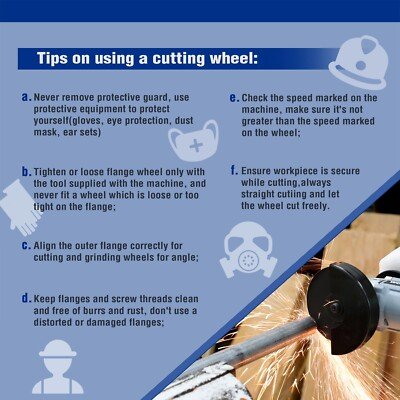
Angle Grinder Disc Keeps Loosening: Fix It Safely
An angle grinder disc keeps loosening when the flange, disc, spindle, or tightening method cannot hold it securely.
When an angle grinder disc keeps loosening, the problem is more than annoying. A loose wheel can wobble, damage the tool, or break during use. In most cases, the cause is easy to find: a dirty flange, a fitted nut, a worn spindle, or the wrong disc position. This guide explains how to inspect each part, fix the fault, and use your grinder more safely.
Why an angle grinder disc keeps loosening
An angle grinder disc should stay tight during normal work. The grinder’s rotation often helps keep the nut secure, but that only works when the parts are clean, correctly fitted, and in good condition.
An angle grinder disc keeps loosening when the clamping force drops during use. Vibration then makes the problem worse. The disc may shift, chatter, or spin with a visible wobble.
The most common causes include:
• Dirt, rust, or metal dust between the flanges
• The wrong inner or outer flange for the disc
• A damaged disc with a bent center
• A worn spindle or spindle thread
• A loose or damaged flange nut
• Tightening the nut against the wrong side of the disc
• Using a disc with the wrong hole size
• Overloading the grinder
• Side pressure on a cutoff wheel
• A spindle-lock button that does not fully release
• A disc that does not match the grinder’s speed rating
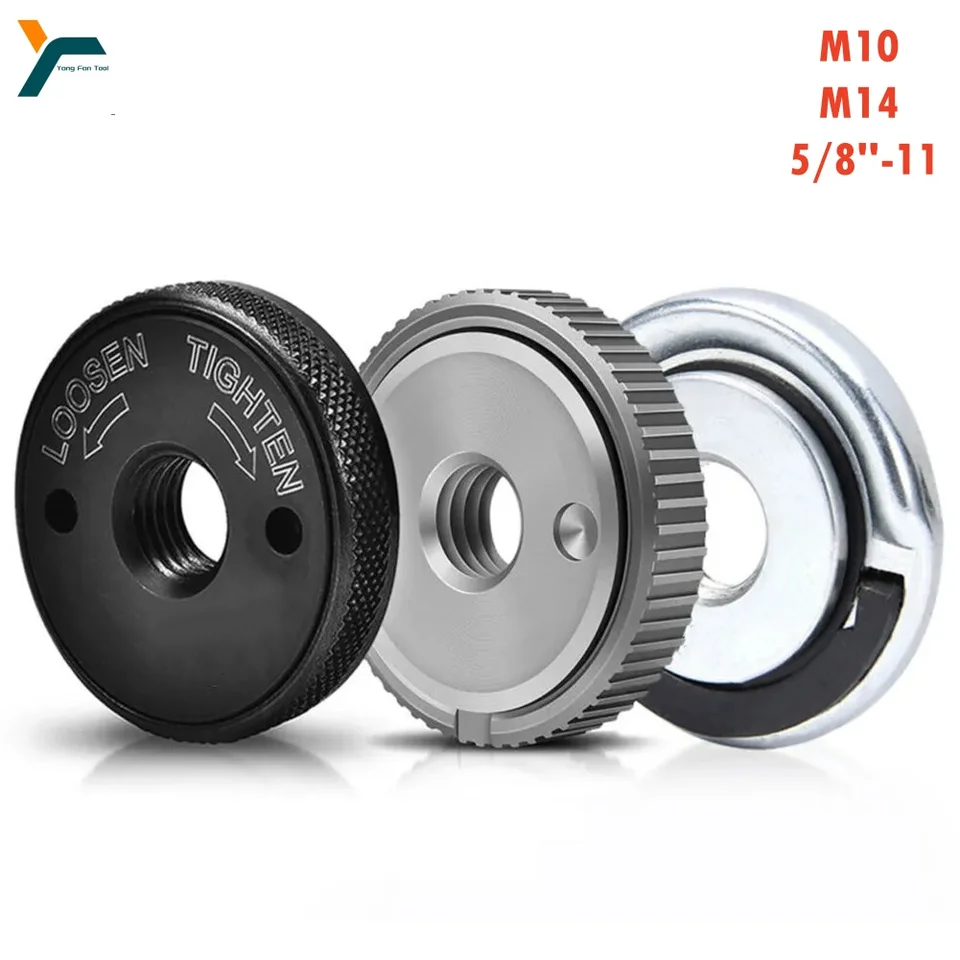
Check the disc before checking the grinder
Start with the wheel itself. A cracked, warped, wet, or damaged disc should never be reused. Even a small defect can create vibration, and vibration can make an angle grinder disc keep loosening.
Place the disc on a flat surface and look across it. The center should sit flat. The mounting hole should be round and free from chips. Do not use a disc with a torn label, a bent metal ring, or signs of impact.
Check these points:
• The disc diameter must match the grinder’s rated size.
• The arbor hole must match the grinder and flange.
• The maximum RPM on the disc must meet or exceed the grinder’s speed.
• A cutoff wheel must be used for cutting, not heavy side grinding.
• A grinding wheel must be used for grinding, not deep slicing.
• Wire wheels and cup brushes must use the correct backing and nut arrangement.
Never enlarge a disc hole with a file or punch. An uneven hole prevents proper clamping and may cause the wheel to sit off-center.
In my own workshop experience, replacing the disc solved many “loose nut” complaints. The nut was not always the real problem. A cheap or damaged disc often created enough vibration to make an angle grinder disc keep loosening after only a few minutes.

Inspect the inner and outer flanges
The flanges hold the disc against the spindle. They must be clean, flat, and installed in the correct direction.
Unplug the grinder or remove its battery before touching the disc. Lock the spindle and remove the flange nut with the correct wrench. Then clean both flange faces with a dry brush or cloth.
Look for:
• Raised burrs
• Deep grooves
• Rust spots
• A bent flange
• Metal dust packed around the shoulder
• A worn center boss
• A flange that rocks on a flat surface
A flange with a deep groove may clamp only around one small area. That uneven pressure can let an angle grinder disc keep loosening.
The flange arrangement can change by tool and accessory. Depressed-center grinding wheels, flat cutoff wheels, flap discs, diamond blades, and wire cups may not use the same setup. Follow the diagram in the grinder manual rather than copying the setup from another tool.
Do not add random washers. A homemade spacer can place pressure in the wrong area and reduce the grip on the disc.
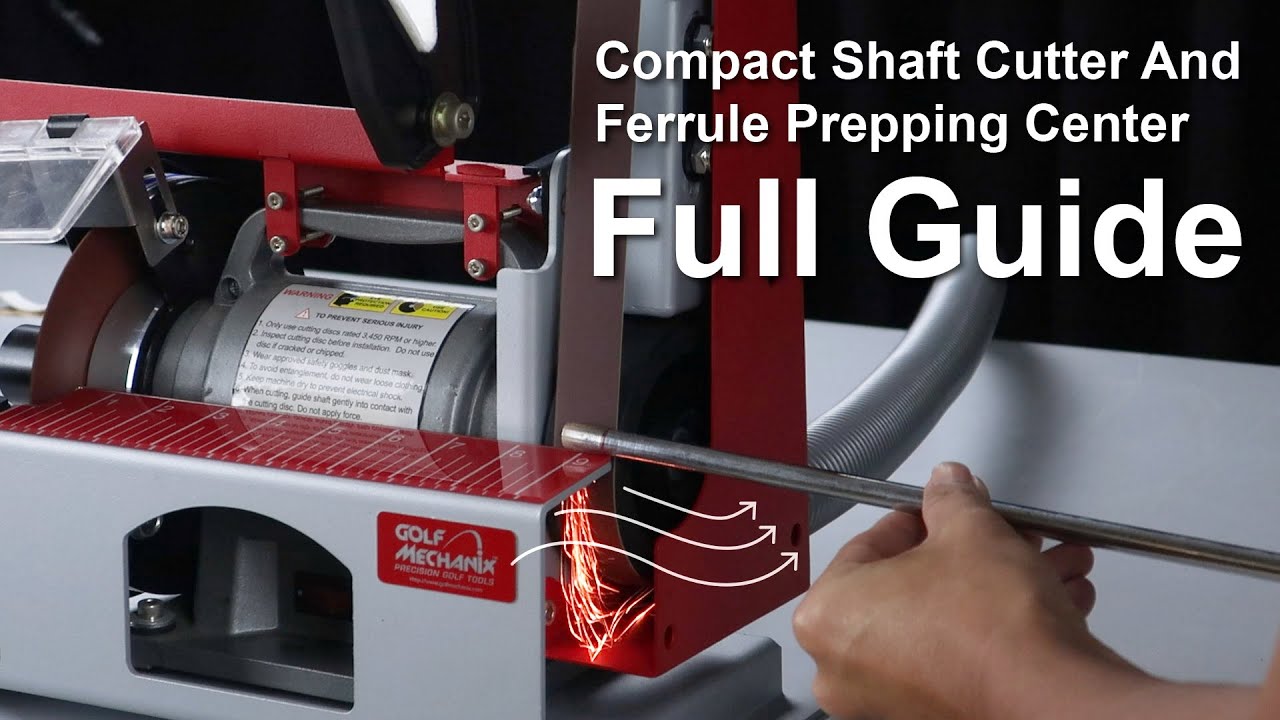
Fit the flanges in the right direction
Many angle grinders use a reversible inner flange. One side may have a raised shoulder, while the other side is flatter. The correct side depends on the disc type and the tool design.
A thin cutoff wheel often needs support near its center. A thick depressed-center wheel may sit over a raised inner flange. A wire cup may need a different arrangement again.
If the inner flange is upside down, the nut may tighten against a narrow edge. The disc can look tight by hand but lose tension during use. This is a common reason an angle grinder disc keeps loosening.
Use the manufacturer’s instructions for your exact model. If the manual is missing, check the tool maker’s official parts diagram or service guide. Do not rely only on the shape of the nut, because similar-looking grinders can use different flange systems.
Before tightening, confirm that:
• The disc sits fully on the inner flange.
• The disc does not rock.
• The outer flange contacts the correct surface.
• The nut threads smoothly by hand.
• No label, paper, or debris sits between the disc and flange.

Tighten the nut correctly
A flange nut should be snug and secure. It does not need extreme force.
First, fit the disc and outer flange by hand. Spin the nut onto the spindle for several turns. If it does not start smoothly, stop and inspect the thread. A cross-threaded nut can damage the spindle and may not provide reliable clamping.
Hold the spindle with the lock button or supplied wrench. Tighten the nut with the correct pin wrench. Keep the pressure firm and controlled. Never strike the wrench with a hammer unless the manufacturer specifically allows that method.
Over-tightening can also cause trouble. It may crush a thin wheel, bend a flange, strip the spindle thread, or make removal difficult. The goal is stable clamping, not maximum force.
Avoid these unsafe fixes:
• Do not use thread-locking liquid on the spindle.
• Do not weld the nut to the flange.
• Do not use pliers that can damage the nut.
• Do not add a random spring washer.
• Do not run the grinder while holding the nut with a second tool.
If an angle grinder disc keeps loosening even after correct hand tightening, the fault may be mechanical rather than user error.
Inspect the spindle, nut, and spindle lock
Remove the disc and examine the spindle thread. It should have clean, even threads with no flattened sections. The shoulder where the inner flange sits should also be straight.
Check the flange nut for worn threads. A nut that spins loosely on the spindle is unsafe. Replace it with the correct part for the grinder model.
The spindle lock deserves attention too. Press the lock only when the spindle has stopped. If the button stays partly engaged during operation, it can cause noise, heat, or damage. A damaged lock can also prevent the disc from clamping correctly.
Signs of a spindle or lock problem include:
• The spindle moves from side to side
• The disc wobbles when turned by hand
• The nut bottoms out before clamping the disc
• The spindle lock makes a grinding sound
• The flange does not sit square
• The disc loosens on several different wheels
Do not use the grinder if the spindle has noticeable play. A repair shop can measure the spindle and replace the bearing, spindle, or gear assembly. Continuing to use it may turn a small repair into a major failure.
Use the grinder in a way that limits vibration
Even a correctly fitted wheel can loosen when the grinder is forced into the work. Excess pressure increases vibration and can twist the disc in the cut.
Let the grinder’s motor and abrasive surface do the work. Use light, steady pressure. Keep the disc at the angle recommended for its job.
For a cutoff wheel:
• Keep the wheel straight in the cut.
• Do not twist the tool.
• Do not use the side of the wheel for grinding.
• Let the wheel exit the material without binding.
For a grinding wheel:
• Use the correct working angle.
• Avoid digging the edge into the metal.
• Move the tool smoothly across the surface.
• Stop if the wheel begins to chatter.
For a flap disc:
• Use moderate pressure.
• Keep the backing plate flat enough for the disc design.
• Replace it when the flaps are badly worn.
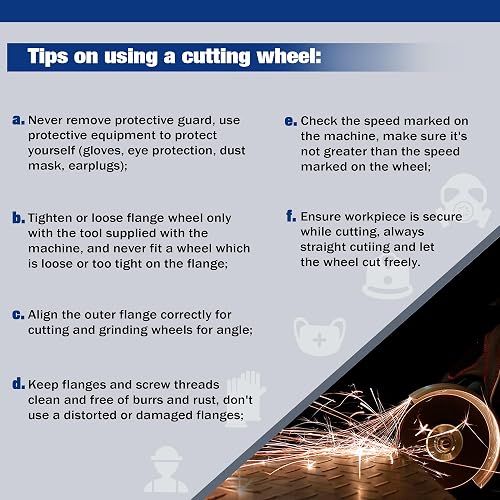
A jammed wheel can stop suddenly while the grinder body keeps moving. That shock can loosen the nut, damage the disc, or cause kickback. A guard, eye protection, hearing protection, gloves suited to the task, and safe work positioning all matter.
Confirm the disc rotation and nut design
Some grinders use a standard flange nut. Others use a quick-change nut or a special locking system. Use only the nut designed for that grinder and accessory.
The disc must also face the correct way. Many cutoff wheels have a printed side that may face outward, but the printed side alone does not always determine the correct fit. Follow the disc and tool instructions.
The spindle should rotate in the direction intended by the grinder design. In normal use, the rotation and flange system help resist loosening. If the tool has been modified, repaired with incorrect parts, or fitted with a nonstandard flange, that self-tightening effect may not work as expected.
Do not reverse the grinder’s rotation unless the model is designed for it. A reversed or incorrectly assembled setup can make an angle grinder disc keep loosening and can place the guard in the wrong position.

A safe step-by-step repair process
Use this process when an angle grinder disc keeps loosening:
- Switch off the grinder and unplug it. Remove the battery from cordless models.
- Wait until the disc stops completely.
- Press the spindle-lock button only when the spindle is still.
- Remove the disc with the correct wrench.
- Inspect the disc for cracks, bends, chips, or a damaged center hole.
- Clean the spindle, inner flange, and outer flange.
- Check the spindle thread and flange nut for damage.
- Confirm the disc size, hole size, type, and RPM rating.
- Fit the inner flange in the direction shown by the manual.
- Place the disc flat against the flange.
- Install the outer flange and nut correctly.
- Tighten the nut firmly without excessive force.
- Release the spindle lock.
- Fit the guard and check that it is secure.
- Stand clear and run the grinder at no load for about 30 seconds.
Stop the test if you see wobbling, hear unusual noise, smell burning, or notice the disc moving. Let the grinder stop, then inspect it again. Do not hold the tool close to your face during a test run.

When to replace parts or stop using the tool
Replace the disc after any serious impact. Abrasive wheels can have hidden damage that is not easy to see. A short ring test may help identify some damaged bonded wheels, but it does not prove that a wheel is safe. Follow the disc maker’s inspection rules.
Replace the flange nut when its threads are worn or its contact surface is badly marked. Replace flanges that are bent, cracked, or deeply grooved.
Stop using the grinder and seek service when:
• The spindle has side play
• The gearbox is noisy
• The spindle lock slips
• The nut will not tighten evenly
• Several new discs loosen
• The tool overheats quickly
• The disc wobbles with no pressure applied
A new nut will not fix a bent spindle. Likewise, a new disc will not correct a worn bearing. Finding the real cause is safer than repeatedly tightening the same assembly.
Safety rules for abrasive tools stress proper guards, compatible accessories, correct speed ratings, and inspection before use. These controls are important because a failed wheel can release fragments at very high speed.
Mistakes that make the problem worse
People often try to solve an angle grinder disc keeps loosening problem by tightening the nut harder. That can hide the symptom for a short time while damaging the flange or wheel.
Other common mistakes include:
• Using a wrench that does not fit the nut
• Fitting a cutoff wheel with side pressure
• Reusing a disc after it has been dropped
• Ignoring a small wobble
• Mixing flanges from different grinder brands
• Running a wheel above its rated speed
• Removing the safety guard
• Using a disc with a larger arbor hole
• Installing a spacer without checking the manual
• Holding the work loosely so it vibrates
One lesson I learned early was to stop at the first sign of chatter. It is tempting to finish a cut, especially when the job is nearly done. That final few seconds can create more heat and force than the whole cut before it.
Treat vibration as a warning, not as a normal part of grinding. The tool is telling you that the disc, workpiece, or machine needs attention.
Frequently Asked Questions About an Angle Grinder Disc Keeps Loosening
Why does my angle grinder disc keep coming loose?
The usual causes are dirty flanges, incorrect flange direction, a worn nut, a damaged disc, or a worn spindle. Excessive side pressure and vibration can also reduce clamping force.
Should I tighten an angle grinder disc as hard as possible?
No. Tighten the nut firmly with the correct wrench, but do not use extreme force. Over-tightening can damage the disc, flange, spindle thread, or spindle lock.
Can I use thread locker to stop the disc from loosening?
Do not use thread locker unless the grinder manufacturer specifically approves it. It can interfere with proper removal, contaminate the assembly, and hide a worn spindle or flange.
Is a loose angle grinder disc dangerous?
Yes. A loose disc can wobble, crack, bind, or detach while the grinder is running. Unplug the tool, find the cause, and replace damaged parts before using it again.
Can the wrong flange make a disc loosen?
Yes. A flange with the wrong shape or size may not support the disc evenly. Always use the flange and nut specified for the grinder and accessory.
Why does my new disc keep loosening?
A new disc can still be the wrong type, have an incorrect arbor hole, or be fitted against a dirty or damaged flange. If several new discs loosen, inspect the grinder’s spindle, nut, and bearings.
Does a cutoff wheel need a different setup from a grinding wheel?
Often, yes. Thin cutoff wheels and thick grinding wheels may require different flange positions. Check the tool manual and the disc instructions before fitting either type.
Conclusion
An angle grinder disc keeps loosening when the disc, flanges, nut, spindle, or work method fails to maintain steady clamping. Clean the parts, check the disc, fit the flanges correctly, tighten the nut firmly, and inspect the spindle for wear.
Never ignore wobble, chatter, cracks, or repeated loosening. Replace questionable parts and stop using the grinder until the cause is clear. Apply these checks before your next job, and share your experience or safety tip in the comments.