Jigsaw Making Loud Noise: Causes And Easy Fixes
A loud jigsaw often points to a loose part, worn blade, poor setup, or a motor problem that needs attention.
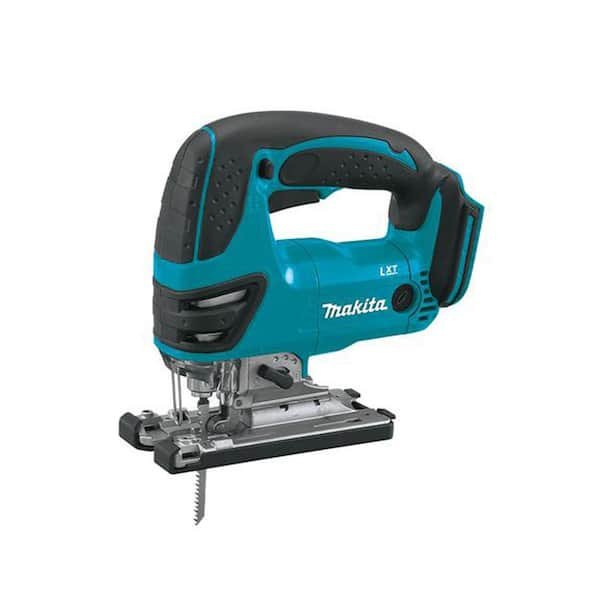
A jigsaw should make a steady cutting sound, but it should not scream, rattle, grind, or suddenly vibrate. Jigsaw making loud noise can be caused by something as simple as a loose blade or as serious as worn bearings. This guide explains how to find the source, fix common problems, work safely, and know when to stop using the tool.

What a Normal Jigsaw Sound Should Be Like
A healthy jigsaw produces a steady motor hum and a fast, even blade sound. The noise may rise when the blade enters hard wood, metal, or thick material. Still, the sound should stay smooth and predictable.
Jigsaw making loud noise becomes a concern when the tool creates a new sound or changes tone during use. A sharp squeal, harsh grind, deep buzz, or loose rattle often gives a useful clue.
Watch for these warning signs:
• A loud rattle when the tool runs without a load
• A grinding sound from the motor area
• A sharp squeal near the blade holder
• Strong vibration through the handle
• Burning smells or visible sparks
• A blade that moves side to side
• A hot housing after a short cut
Unusual noise is not always a sign of major damage. A loose shoe, bent blade, or dirty blade clamp can make a small problem sound much worse. The key is to inspect the tool before the problem spreads.

Common Reasons a Jigsaw Makes Loud Noise
Several parts can cause jigsaw making loud noise. Start with simple causes before opening the tool. Many problems can be found in less than five minutes.
Loose or Incorrectly Installed Blade
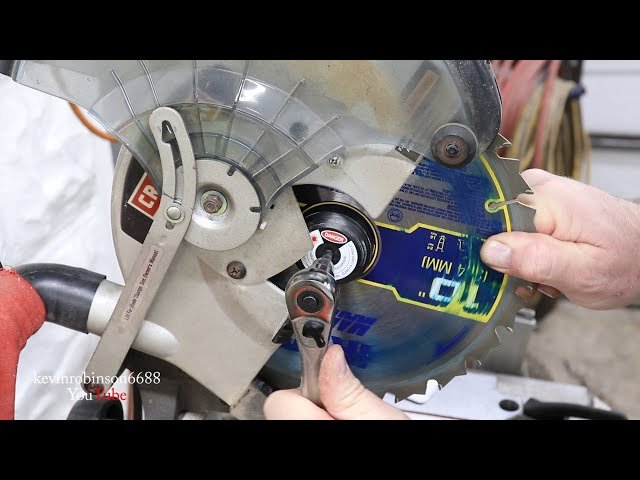
A blade that is not fully locked into the blade holder can rattle. It may also cut poorly, bend, or hit the guide plate. Check that the blade is the correct type for your jigsaw and that it sits straight.
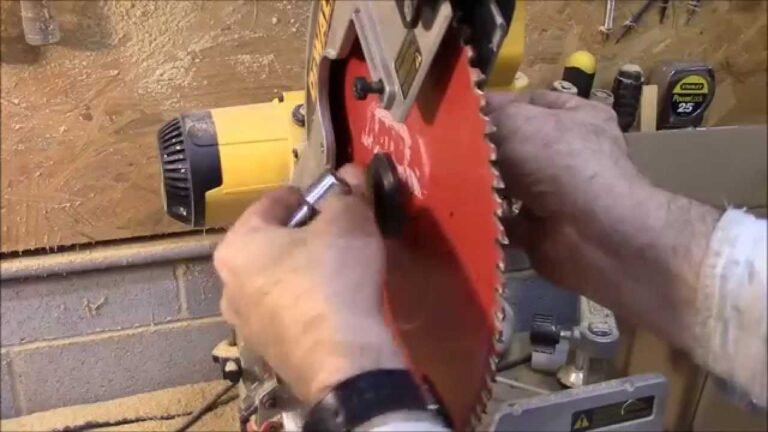
Remove the battery or unplug the tool first. Then release the blade and inspect the shank, teeth, and locking area. A damaged blade should be replaced rather than forced back into place.
Worn Blade
A dull blade needs more force to cut. This extra load makes the motor work harder and can make the tool sound rough. The blade may also vibrate as it moves through the material.
Replace the blade when the teeth look rounded, the cut wanders, or the tool leaves burn marks. A new blade often solves jigsaw making loud noise caused by excess cutting resistance.
Loose Shoe or Base Plate
The shoe supports the tool on the workpiece. If its screws loosen, the plate can buzz or knock during each stroke. This sound may seem like a motor fault even when the motor is fine.
Inspect the shoe and tighten its fasteners with the correct driver. Do not overtighten them, because damaged threads can make the plate less stable.
Dirty Blade Clamp
Dust, chips, and resin can collect in the blade holder. This buildup may stop the blade from seating fully. It can also create a clicking or rattling sound.
Use a small brush or compressed air to clean the area. Keep your eyes protected, and never clean a plugged-in or connected cordless tool.
Worn Guide Roller
Many jigsaws use a small guide roller behind the blade. It helps control the blade during a cut. If the roller is dry, damaged, or packed with dust, it may squeak or grind.
With the power disconnected, spin the roller by hand. It should move smoothly without side play. A rough or loose roller usually needs replacement.

Motor and Gear Problems
If the blade, shoe, and guide roller look fine, the motor or gearbox may be the cause. These parts move at high speed, so even a small defect can create a strong sound.
Worn Bearings
Bearings support the motor shaft and other moving parts. As they wear, they may produce a growl, rumble, or grinding noise. The sound often becomes louder when you press the trigger.
A bearing problem may also cause heat and vibration. Do not keep using the tool in this condition. A failing bearing can damage the shaft, armature, or housing.
Damaged Gears
The gearbox transfers motor power to the blade mechanism. Broken or worn gear teeth can cause knocking, clicking, or irregular grinding. The noise may change when you adjust the speed or orbital setting.
Gear repair requires careful disassembly. Many tools use small washers, clips, and parts that must return in an exact order. If you do not have the service manual and proper tools, use an approved repair center.
Brush or Commutator Wear
Some corded jigsaws and older cordless models use carbon brushes. Worn brushes can cause a rough motor sound, weak power, or visible sparking. A strong burning smell is another warning sign.
Brush replacement may be simple on some models. However, the correct part must match the tool. Never continue using a tool that sparks heavily or smells like burning insulation.
Electrical Faults
A damaged cord, loose plug, failing switch, or weak battery can make the motor run unevenly. An unstable power supply may sound like a pulsing buzz. It can also create a safety risk.
Inspect the cord for cuts, crushed sections, and exposed wires. For cordless tools, test a known good battery and check for damaged contacts. Do not bypass a switch, fuse, or safety feature.

How to Find the Source of the Noise
A careful test can help separate a blade problem from a motor problem. Use this process before buying parts or opening the housing.
-
Disconnect the power. Unplug the cord or remove the battery.
-
Remove the blade. Check the blade holder, guide roller, and shoe.
-
Install a new, suitable blade. Make sure it locks firmly.
-
Run the tool briefly without cutting. Keep the blade area away from your body.
-
Listen for the location. Note whether the sound comes from the motor, front guide, or base.
-
Test on scrap material. Use light pressure and a slow feed.
-
Stop at once if you notice smoke, heavy sparks, burning odor, or sudden heat.
A useful test is to compare the sound with and without a blade. If the noise remains when the blade is removed, the motor, bearings, or gearbox may be involved. If the noise appears only during cutting, the blade, guide, material, or cutting technique may be the cause.
In my own workshop-style troubleshooting, I have seen people blame the motor when a loose shoe screw was the real issue. I have also seen a dull blade overload a good tool. The lesson is simple: check the low-cost parts first, but do not ignore signs of internal damage.
Fixes for a Loud Jigsaw
The right fix depends on the sound and its source. Begin with safe, basic repairs before considering internal service.
Replace the Blade
Choose a blade made for the material. Fine teeth suit thin metal or clean wood cuts. Coarser teeth remove material faster in thick wood but may vibrate more.
Use a blade with the correct shank style for your model. A blade that fits loosely can create jigsaw making loud noise and may break during a cut.
Tighten External Fasteners
Check the shoe, blade guide, cover, and visible screws. Tighten loose fasteners with care. If a screw turns without becoming tight, the thread may be stripped.
Do not use thread-locking liquid unless the manufacturer permits it. Some products make later service difficult or can damage plastic parts.
Clean the Tool
Remove dust from the vents, shoe, blade clamp, and guide roller. A soft brush works well for light debris. Use compressed air with care, since high pressure can push dust deeper into bearings or electronics.
Never spray oil into the motor or switch. Oil can attract dust and damage electrical parts. Lubricate only parts listed in the product instructions.
Reduce Cutting Pressure
Let the blade do the work. Pressing too hard can bend the blade and load the motor. Use a steady feed rate that matches the blade and material.
For thick stock, pause when needed and allow the blade to clear chips. A clean cut path reduces heat, vibration, and jigsaw making loud noise.
Service Internal Parts
Bearings, gears, brushes, and electronic controls may need professional service. A trained repair technician can test current draw, inspect the armature, and check shaft play.
A repair may not make financial sense on a low-cost tool. Compare the service price with the cost of a safe replacement. Never use a tool with a cracked housing or damaged power cord.

Safety Steps Before You Keep Cutting
Noise is not the only issue. A loud jigsaw may have a loose part that can fail while the blade is moving. Treat sudden changes as a safety warning.
Follow these basic steps:
• Unplug the tool or remove the battery before inspection.
• Wear safety glasses during cutting and cleaning.
• Use hearing protection when the tool is loud or used for long periods.
• Clamp the workpiece so it cannot shift.
• Keep both hands away from the blade path.
• Do not hold small pieces close to the blade.
• Keep vents clear during use.
• Stop if the tool smokes, sparks heavily, or overheats.
Workplace noise guidance commonly treats repeated exposure to high sound levels as a hearing risk. A jigsaw may not seem as loud as a saw, but long use in a small room can still strain your hearing. Hearing protection is a small step with a lasting benefit.
If the tool vibrates so much that you lose control, stop immediately. Control matters more than finishing one cut.
How to Prevent Jigsaw Noise
Good care can prevent many noise problems. Store the jigsaw in a dry place and protect it from dust, moisture, and impact.
Use the right blade for each job. Do not cut metal with a wood blade or force a short blade through material that is too thick. Keep spare blades clean and dry so they do not become rusty or dull.
A simple maintenance routine includes:
-
Inspect the blade before each project.
-
Clean dust from vents and the base after use.
-
Check visible screws and the shoe for movement.
-
Inspect the cord or battery contacts.
-
Listen for changes in sound during the first few seconds of use.
-
Replace worn blades before they become difficult to control.
-
Follow the manufacturer’s instructions for service and lubrication.
One mistake I often see is storing a jigsaw with a blade still installed and pressed against other tools. That can bend the blade or stress the holder. Removing the blade after demanding work takes a few seconds and can prevent later trouble.

When to Replace the Jigsaw
Repair is often worthwhile when the tool is high quality and the fault is limited to a blade, shoe, guide roller, or brush. Replacement may be better when the housing, motor shaft, gearbox, or electronic control is badly damaged.
Replace the tool if:
• The housing is cracked near the motor or blade guide.
• The cord has exposed wires.
• The tool produces heavy sparks.
• The motor smells burned.
• The blade shaft has major side movement.
• The repair cost is close to a new tool.
• Safety parts no longer work correctly.
Do not judge a tool only by sound. A quiet tool can still be unsafe if the blade guide is loose or the cord is damaged. A good decision considers noise, heat, vibration, control, and visible condition together.

Frequently Asked Questions About Jigsaw Making Loud Noise
Why is my jigsaw making loud noise when it runs without cutting?
A loud sound with no cutting load often points to a loose blade holder, guide roller, bearing, gear, or motor part. Remove the blade and test briefly; if the noise remains, internal service may be needed.
Can a dull blade make a jigsaw loud?
Yes. A dull blade creates more friction and forces the motor to work harder. Replace it with a sharp blade made for the material and use light pressure.
Is it safe to use a jigsaw that rattles?
No, not until you find the cause. A rattle may come from a loose shoe, blade, screw, or internal part that could fail during cutting.
Why does my jigsaw squeal during a cut?
A squeal may come from a dry or worn guide roller, a dull blade, resin buildup, or excessive pressure. Clean the guide area, install a new blade, and reduce feed pressure.
Can dust cause jigsaw making loud noise?
Dust can block vents, affect the blade clamp, and interfere with the guide roller. Clean the tool with a brush and keep dust away from electrical openings.
Should I oil a noisy jigsaw?
Only oil parts named in the manufacturer’s instructions. Oil inside the motor, switch, or electronic control can attract dust and cause damage.
When should I take a loud jigsaw to a repair shop?
Seek professional service when the tool grinds, sparks heavily, overheats, smells burned, or makes noise after basic checks. Internal motor and gearbox repairs can be unsafe without the right tools and testing equipment.
Conclusion
Jigsaw making loud noise can result from a loose blade, dull teeth, dirty guide parts, loose fasteners, worn bearings, damaged gears, or an electrical fault. Start with safe checks, replace simple worn parts, and stop using the tool if you notice heat, smoke, heavy sparks, or severe vibration.
A quiet, well-maintained jigsaw gives cleaner cuts and better control. Inspect your tool before the next project, use the right blade, and seek professional help when the noise comes from inside the motor or gearbox. Share your experience or explore more tool-care guides to keep every cut safer and smoother.