Makita Jigsaw Motor Overheating: Causes And Fixes
Makita jigsaw motor overheating usually results from blocked airflow, heavy cutting pressure, a dull blade, or worn electrical parts.
Makita jigsaw motor overheating can be a small warning or a sign of serious tool damage. The heat may come from the blade, the material, the motor, the battery, or the power supply. This guide explains how to find the real cause, cool the tool safely, prevent repeat problems, and know when repair is the better choice.
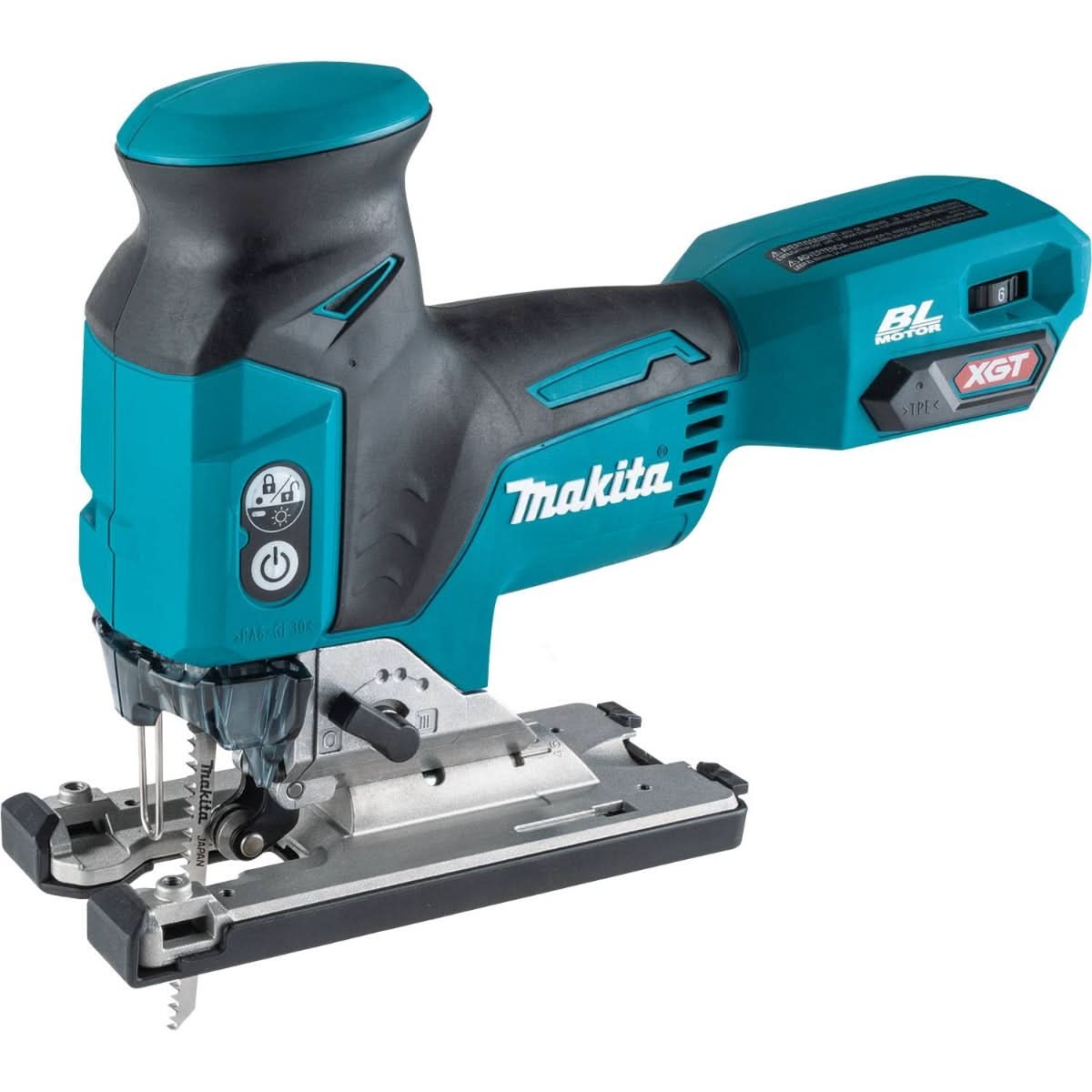
What Makita jigsaw motor overheating means
A jigsaw motor creates heat whenever it works. Light warmth is normal after cutting wood, plastic, or thin metal. The problem starts when the housing becomes too hot to hold, the tool smells like burning insulation, or the motor slows during a cut.
Makita jigsaw motor overheating means the tool is producing more heat than its cooling system can remove. Think of the motor like a person running uphill. A short run is fine, but constant strain without rest can cause failure.
Common warning signs include:
• The motor housing feels unusually hot
• The jigsaw loses speed under light pressure
• The tool shuts off during a cut
• A burning smell comes from the vents
• The blade moves slowly or stops
• Sparks appear near the brush area
• The battery or charger becomes very hot
A tool may also overheat without a clear burning smell. Heat can build inside the motor before the outer case feels extreme. For this reason, changes in sound, speed, and cutting power matter too.

Why does a Makita jigsaw motor overheat?
Several problems can create excess heat. The most common cause is overload. However, blocked vents, poor blade choice, and electrical faults can produce similar symptoms.
Cutting too fast or forcing the tool
A jigsaw is designed to cut with steady movement. It is not designed to act like a reciprocating saw under heavy force. If you push hard, the blade may bend or stall, while the motor continues to fight the load.
This turns useful power into waste heat. The harder you force the jigsaw, the more current the motor may draw. That current heats the windings and can damage the insulation over time.
Use a firm grip, but let the blade do the work. If the tool slows, reduce pressure and check the blade.
Using a dull or incorrect blade
A dull blade creates drag. It rubs against the cut instead of removing material cleanly. The motor then works harder, even if the material seems thin.
The wrong blade can cause the same issue. For example, a fine metal blade may struggle in thick hardwood. A coarse wood blade may catch in thin sheet metal or plastic.
Choose a blade based on:
• Material type
• Material thickness
• Tooth count
• Blade quality
• Required cut speed
A sharp blade is one of the simplest ways to prevent Makita jigsaw motor overheating.
Blocked cooling vents
Makita jigsaws use air movement to carry heat away from the motor. Dust can block the intake and exhaust vents. This is common when cutting MDF, drywall, cement board, or dusty softwood.
Fine dust can also enter the motor area. It may coat the fan, restrict airflow, or reduce brush contact. A dirty tool can overheat even during a light cut.
Keep vents clear before and during use. Use a soft brush or clean, dry compressed air. Do not force debris deeper into the tool.
Excessive orbital action
Orbital action helps a jigsaw cut wood faster. The blade moves forward as well as up and down. This action also increases cutting aggression and vibration.
High orbital settings can create extra resistance in dense wood, laminate, or metal. If the blade binds, the motor must work harder. Try a lower orbital setting for thick, hard, or delicate material.
Orbital action is useful, but more is not always better.
Long, nonstop operation
Even a healthy motor needs time to shed heat. Long cuts, repeated cuts, and thick materials can push the tool beyond its normal duty cycle.
Cordless models may also work harder as battery voltage drops. A low battery can cause poor performance and increased heat in some operating conditions. A corded model may heat up when used continuously without rest.
Allow the tool to cool between demanding cuts. Short pauses can protect the motor and improve blade life.
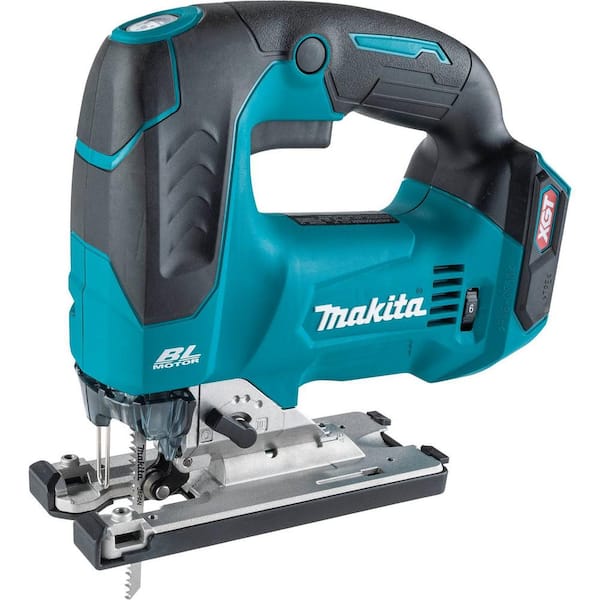
How to diagnose Makita jigsaw motor overheating
Stop using the jigsaw if it smells burnt, smokes, sparks heavily, or becomes too hot to touch. Remove the battery or unplug the tool. Let it cool on a clean, dry surface before inspection.
Never open a corded jigsaw while it is connected to power. For a cordless model, remove the battery before checking the blade, vents, or housing.
Follow this simple diagnostic process.
1. Check the blade
Look for dull teeth, bent steel, missing teeth, or pitch buildup. Replace the blade if it looks worn or if the cut requires unusual force.
Make sure the blade matches the material. A poor blade choice is often mistaken for a motor problem.
2. Check the cut
Ask whether the blade is binding. A narrow kerf, curved cut, or trapped offcut can pinch the blade. Support the workpiece on both sides, but leave room for the blade to move freely.
Do not twist the jigsaw while cutting. Twisting increases side load and makes the motor work harder.
3. Inspect the vents
Look at every ventilation opening. Remove dust with a soft brush or low pressure air. Avoid high pressure air near seals, bearings, and delicate electrical parts.
If dust keeps returning, improve dust collection. A vacuum attachment can reduce the amount of fine material entering the tool.
4. Test the tool without a load
After the jigsaw cools, run it briefly without cutting. Listen for grinding, clicking, buzzing, or uneven speed.
A healthy motor should run smoothly. A rough sound may point to worn bearings, brushes, gears, or the armature.
5. Check the battery or power cord
For cordless jigsaws, inspect the battery contacts. Dirty or damaged contacts can create resistance and heat. Do not use a battery with swelling, cracks, leakage, or a damaged case.
For corded models, inspect the plug, cord, strain relief, and switch. Stop using the tool if the cord has cuts, exposed wires, or heat damage.
6. Compare heat at different loads
If the jigsaw stays cool without a blade load but overheats during cutting, the issue may involve the blade, material, or cutting method. If it overheats while running freely, an internal fault becomes more likely.
This simple comparison can prevent unnecessary motor replacement.

How to fix Makita jigsaw motor overheating
The right fix depends on the cause. Start with simple maintenance before assuming the motor needs replacement.
Clean the tool correctly
Remove the battery or unplug the jigsaw. Brush dust away from the vents, blade holder, base, and trigger area. Use a dry cloth for the housing.
Do not spray water, oil, or household cleaner into the vents. Moisture and residue can damage electrical parts.
Install a sharp, suitable blade
Select a blade made for the material. Use a longer blade when the material is thick enough to prevent the shoe from dragging. Replace blades that show heat discoloration, dull teeth, or bending.
For wood, match the tooth pattern to the cut. Use fine teeth for clean cuts and coarse teeth for fast rough cuts. For metal, use a blade with suitable fine teeth and consider the manufacturer’s cutting guidance.
Reduce cutting pressure
Place the shoe flat on the workpiece. Guide the jigsaw forward with light pressure. If the blade stalls, stop and let it recover instead of pushing harder.
A slow, steady feed often cuts faster than aggressive force because it prevents binding.
Adjust speed and orbital settings
Use a lower speed for heat sensitive plastic, thin metal, and materials that melt easily. Use lower orbital action for hard materials, curved cuts, and fine work.
High speed is not ideal for every job. The best setting balances clean cutting with low resistance.
Improve dust control
Connect a compatible dust extraction system when possible. Clear the work area often, especially when cutting MDF or other fine dust materials.
Do not cover the vents with tape or your hand. The vents must remain open during operation.
Replace worn brushes or damaged parts
Some Makita jigsaws use replaceable carbon brushes. Worn brushes may cause arcing, weak power, unstable speed, and heat. Brush replacement should follow the exact model manual.
Bearings, switches, armatures, field coils, and electronic controls require more skill to test. If the tool still overheats after cleaning and blade replacement, use an authorized service center or a qualified repair technician.
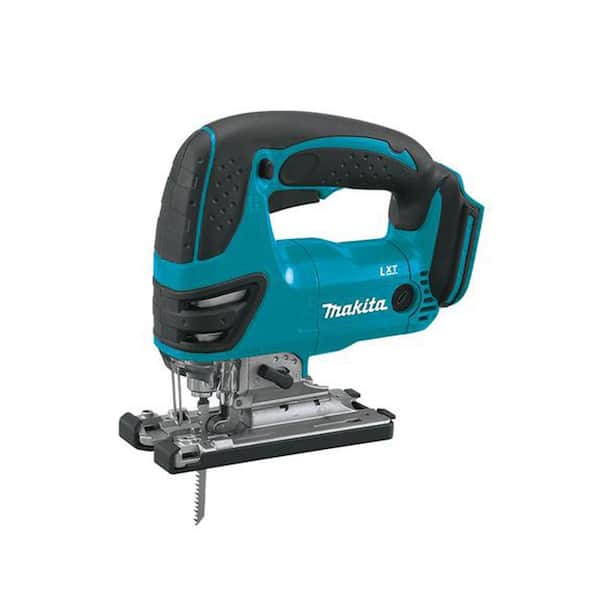
Cordless versus corded Makita jigsaw overheating
Cordless and corded models can both overheat, but their common causes differ.
Cordless jigsaws may develop heat from:
• A low or damaged battery
• Dirty battery contacts
• A battery that cannot supply enough current
• Heavy cutting under low charge
• A worn motor or electronic controller
Corded jigsaws may develop heat from:
• An extension cord that is too long or too light
• Low voltage at the outlet
• A damaged power cord
• A weak switch or plug connection
• Motor wear
Avoid using a very long, light duty extension cord with a high load tool. Voltage drop can reduce performance and increase stress. If an extension cord becomes hot, stop using it and check its rating and condition.
Never use a battery or charger that shows physical damage. Heat from the battery area is not the same as normal motor warmth and may require immediate battery replacement.
Mistakes that make Makita jigsaw motor overheating worse
Many users respond to heat by pushing harder. That usually increases the problem. The motor needs less load, not more force.
Avoid these common mistakes:
• Continuing after a burning smell appears
• Using one blade for every material
• Cutting with a blade that is visibly dull
• Covering the ventilation openings
• Running the tool in heavy dust without cleaning it
• Using a damaged battery or power cord
• Spraying lubricant into the motor vents
• Testing a hot tool immediately after it stops
• Ignoring sparks, smoke, or sudden speed changes
One practical lesson from workshop troubleshooting is simple: heat is information. It tells you that the tool is facing too much resistance or cannot release heat properly. Treat the warning early, and a small maintenance job may prevent a major repair.
How to prevent Makita jigsaw motor overheating
Good habits protect both the motor and the person using the tool. Prevention also makes cuts cleaner and reduces blade costs.
Use this routine:
-
Inspect the blade before each job.
-
Select a blade made for the material.
-
Set the speed and orbital action before cutting.
-
Keep the shoe flat and the cut line clear.
-
Use light, steady feed pressure.
-
Clear dust from the vents after use.
-
Let the tool rest during long cutting sessions.
-
Store batteries in a cool, dry place.
-
Check cords, plugs, and battery contacts often.
-
Follow the duty cycle and care instructions in the model manual.
Keep a spare blade nearby. A fresh blade can solve a heat problem faster than any adjustment. Also, make test cuts in scrap material before starting an important project.
When should you stop using the jigsaw?
Stop immediately if the tool emits smoke, produces strong electrical sparks, or smells like burning plastic. Disconnect power or remove the battery, then allow the tool to cool away from flammable materials.
Professional inspection is wise when:
• The motor overheats during no load operation
• The jigsaw repeatedly shuts off
• The tool loses speed after cleaning
• The housing shows melted plastic
• The cord or battery connection becomes hot
• The motor makes a grinding sound
• Sparks continue after brush inspection
Do not bypass thermal protection. Do not replace a fuse with a larger one. These safety parts exist to limit damage and reduce fire risk.
A repair may be worthwhile for a newer or high value Makita jigsaw. For an older tool with motor, switch, bearing, and housing damage, replacement may cost less than a complete repair.
Frequently Asked Questions About Makita Jigsaw Motor Overheating
Is it normal for a Makita jigsaw to get hot?
Some warmth is normal during cutting, especially with thick wood or long use. The tool should not become too hot to hold, smell burnt, smoke, or lose power.
Can a dull blade cause Makita jigsaw motor overheating?
Yes. A dull blade creates more friction and makes the motor work harder. Replacing it with the correct sharp blade often reduces heat quickly.
How long should I let an overheated Makita jigsaw cool?
Let the jigsaw cool until the housing and battery feel close to room temperature. Do not restart it while it is still hot, and investigate the cause before continuing.
Why does my cordless Makita jigsaw overheat with a full battery?
A full battery does not rule out a blade, airflow, bearing, brush, or motor problem. Test the jigsaw without a cutting load, inspect the vents, and try a known good compatible battery if available.
Can sawdust make a Makita jigsaw motor overheat?
Yes. Sawdust can block cooling vents and enter the motor area. Clean the tool with a brush or suitable low pressure air, and use dust extraction during dusty work.
Should I replace the motor if my Makita jigsaw overheats?
Not always. A blade, cutting method, blocked vent, battery, brush, or power cord may be the real cause. Replace or repair the motor only after simpler causes have been checked.
Conclusion
Makita jigsaw motor overheating usually points to excess cutting load, poor airflow, a worn blade, battery trouble, or internal wear. Start by stopping the tool, letting it cool, checking the blade, cleaning the vents, and testing the jigsaw without a load.
Use steady pressure, the right blade, sensible speed, and regular cleaning to prevent repeat heat problems. If overheating continues or you see smoke, heavy sparks, or damaged wiring, choose professional service instead of risking further damage. Apply these checks on your next project, and share your experience or questions with other Makita users.