Milwaukee Impact Driver Won’t Spin: Quick Fixes
A dead battery, locked trigger, poor contact, or failed motor can make a Milwaukee impact driver won't spin.
When a Milwaukee impact driver won't spin, the cause is often simple to find. A weak battery, dirty contacts, a jammed chuck, or a damaged switch can stop the tool before serious damage occurs. This guide walks you through safe checks, clear tests, and repair choices based on common Milwaukee M12 and M18 impact driver problems.
Start With Safety
Before testing a Milwaukee impact driver won't spin, remove the battery. This prevents an accidental start while your hands are near the chuck, bit, or internal parts.
Work on a clean bench with good light. Wear eye protection if you use compressed air or inspect broken metal parts.
Do not open the tool while the battery is attached. Also, do not bypass the trigger, direction switch, or safety parts. A power tool may look dead but still contain a fault that can cause sudden movement.

Why a Milwaukee Impact Driver Won’t Spin
Several parts must work together before the driver can turn. The battery sends power through the contacts, the trigger controls current, and the control board directs power to the brushless motor or brushed motor.
A problem in any link can make a Milwaukee impact driver won't spin. The tool may show no lights, flash a light, click once, or run normally in reverse but not forward.
The most common causes include:
• Battery charge is too low
• Battery terminals are dirty or damaged
• The battery is too hot, too cold, or in protection mode
• The forward and reverse switch sits in the center lock position
• The trigger switch has failed
• The chuck or bit holder is jammed
• The motor has overheated
• The electronic control board has failed
• Internal wires or solder joints are damaged
• The motor has reached the end of its service life
A useful rule is to check the easy external causes first. Many people remove the housing too soon and miss a dead battery or a locked direction switch.

Check the Battery First
A battery problem is the first thing to test when a Milwaukee impact driver won't spin. Milwaukee REDLITHIUM batteries include electronic protection. The battery may shut down if it detects low voltage, high heat, excess current, or a short circuit.
Try a fully charged battery that works in another Milwaukee tool. If the driver runs with the second battery, the original battery is the likely cause.
Check these points:
• Press the battery fuel gauge and look for a normal charge reading.
• Place the battery on the correct charger and watch the indicator.
• Let a hot battery cool at room temperature before testing it.
• Inspect the battery rails for dirt, bent metal, or damage.
• Confirm that the pack clicks fully into the tool.
• Test the driver with another battery from the same voltage platform.
Do not use a damaged, swollen, cracked, or leaking battery. Lithium-ion packs can become dangerous when crushed or overheated. Never place one in a freezer or try to open the battery case.
If the charger quickly reports a fault, the battery may have a failed cell or protection circuit. In that case, replacement is safer than home repair.

Inspect the Direction Switch and Trigger
A Milwaukee impact driver won't spin if the forward and reverse selector is in the center position. This position locks the trigger on many models.
Push the selector fully to the left or right. Then squeeze the trigger gently. Do not force the switch if it feels stuck.
Next, inspect the trigger. Look for dust, impact damage, or a trigger that feels loose. A normal trigger usually has steady resistance and returns when released.
Try this simple test:
-
Remove the battery.
-
Move the direction selector from forward to reverse several times.
-
Press the trigger without the battery attached.
-
Reinstall a charged battery.
-
Test the tool in both directions for one second.
If the driver works in one direction but not the other, the direction switch or control circuit may be faulty. If the trigger feels dead and the work light also stays off, power may not be reaching the switch.
Avoid spraying oil, water, or general-purpose cleaner into the trigger. These products can damage plastic parts or electronic contacts. Use only a cleaner approved for electrical equipment, and follow its label.
Examine the Bit Holder and Anvil
Sometimes the motor works, but the output does not move. This can look like a Milwaukee impact driver won't spin even when the internal motor is turning.
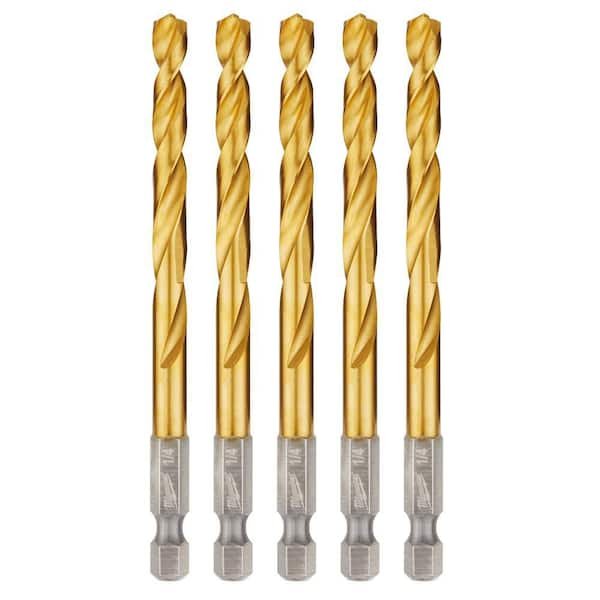
Remove the battery and inspect the hex chuck. A broken bit, bent shank, or small metal fragment can jam the retaining collar. Pull the collar forward and remove the bit if it releases.
Look for these signs:
• The bit holder does not rotate by hand when the battery is removed.
• The collar stays stuck in the forward position.
• The bit wobbles badly.
• Metal dust appears around the anvil.
• The tool makes a motor sound but the anvil does not turn.
Do not grip the anvil with pliers while pressing the trigger. That can damage the chuck, motor, or gear case. If the anvil is locked, the gear case may need service.
A small amount of normal play in the anvil is not always a fault. Impact drivers use moving parts that can have slight movement. A grinding sound, heavy wobble, or complete lock is more concerning.

Look for Overheating and Overload Protection
Milwaukee impact drivers can stop during hard work. The motor and control system may protect themselves from excessive heat or current.
This often happens when driving long structural screws, removing seized bolts, or using the tool continuously without rest. The housing may feel very warm, and the tool may stop suddenly.
Let the driver and battery cool for at least 15 to 30 minutes. Keep both away from direct heat. Then test the tool with a known-good battery.
Overload protection is useful, but repeated overload can still shorten tool life. Use the correct driver size and bit for the job. For large rusted bolts, a larger impact wrench may be a better choice.
Signs of heat or overload include:
• The driver stops after heavy use.
• The work light flashes or turns off.
• The battery feels hot.
• The tool runs again after cooling.
• The driver stops when pressure increases.
If a Milwaukee impact driver won't spin after it cools, the protection circuit may have detected a deeper fault. Continued testing can make damage worse, so stop if you smell burnt insulation or see smoke.
Clean the Battery Contacts and Air Vents
Dust can block electrical contact or reduce cooling. Concrete dust, metal filings, sawdust, and drywall powder are common causes of trouble in busy work areas.
Remove the battery before cleaning. Use a dry, soft brush to clear the battery rails, tool contacts, and air vents. You can use low-pressure compressed air, but keep the nozzle far enough away to avoid forcing dirt deeper into the housing.
Do not use water or soak the driver. Do not scrape contacts with a sharp tool. A damaged contact can create a poor connection or a short.
Check the battery terminals for:
• Dark burn marks
• Green or white corrosion
• Bent contact springs
• Loose plastic around the terminals
• Dirt packed into the contact area
A clean contact should look smooth and secure. If a terminal is loose inside the tool, professional repair is usually the right choice.

Test for a Motor or Control Board Fault
If the battery, switch, chuck, and cooling checks do not help, the problem may be inside the tool. Modern Milwaukee brushless impact drivers use electronic controls to manage motor speed and direction.
A brushless motor does not use traditional carbon brushes. Therefore, looking for worn brushes will not solve a brushless model problem. Older brushed models can have worn brushes, a damaged armature, or a failed commutator.
Common internal symptoms include:
• No sound and no work light with a good battery
• A single click followed by silence
• A high-pitched whine without rotation
• Grinding from the gear case
• A burnt smell
• Intermittent operation when the housing moves
• Operation only when the trigger is held at a certain angle
A multimeter can help a trained person check battery voltage, continuity, and switch operation. However, battery packs and electronic boards require care. Never probe a live lithium-ion battery in a way that could short its terminals.
The best next step may be an authorized service center. Milwaukee service technicians can test the control board, motor, switch, and gear assembly with the correct procedures and parts.
A Practical Troubleshooting Order
Use this sequence when a Milwaukee impact driver won't spin. It saves time and reduces the chance of replacing a good part.
-
Remove the battery and inspect the tool for cracks, burns, and loose parts.
-
Confirm that the direction selector is fully in forward or reverse.
-
Install a fully charged battery from the correct Milwaukee voltage platform.
-
Check whether the work light turns on when you press the trigger.
-
Inspect and clean the battery contacts.
-
Remove the bit and check the chuck and anvil for a jam.
-
Let the tool cool if it recently worked under heavy load.
-
Test the driver in both directions.
-
Listen for clicks, grinding, buzzing, or a brief motor sound.
-
Stop testing if there is smoke, a burning smell, or severe heat.
The work light gives useful clues. A light that works but a motor that does not turn may point toward the trigger, control board, or motor. No light at all may point toward the battery connection, switch, wiring, or main electronics.
These clues are not a final diagnosis. Different Milwaukee models use different designs, and a fault code or flashing light may have a model-specific meaning.
Common Mistakes to Avoid
When a Milwaukee impact driver won't spin, frustration can lead to unsafe choices. Avoid forcing the trigger or repeatedly hitting the tool against a hard surface.
Do not connect the driver to a different voltage battery. M12 and M18 batteries are not interchangeable. Using the wrong power source can damage the tool and create a serious safety risk.
Avoid these mistakes:
• Do not bypass the direction switch.
• Do not short battery contacts to “test” the pack.
• Do not use a damaged battery.
• Do not spray lubricant into the motor or trigger.
• Do not keep using the tool after a burning smell.
• Do not clamp the anvil in a vise and press the trigger.
• Do not install random replacement electronics.
• Do not assume every no-spin fault needs a new motor.
One mistake I often see in tool repair is replacing the battery before testing it in another tool. The battery may be fine, while the real issue is a stuck selector or dirty contact. A two-minute swap test can prevent an expensive and unnecessary purchase.
Repair or Replace the Impact Driver?
The right choice depends on the tool’s age, condition, warranty status, and fault.
A simple cleaning or battery replacement may make sense for a newer driver. A damaged control board or gear case can cost more than an older compact tool is worth.
Consider service when:
• The tool is still under warranty.
• The housing is in good condition.
• The fault appears to be electronic.
• The driver has strong power when it works.
• You need a reliable professional repair.
Replacement may make more sense when:
• The tool has severe gear damage.
• The housing is cracked near the battery mount.
• The motor and control board both show faults.
• Repair costs approach the price of a new tool.
• The tool has suffered water or fire damage.
Keep your receipt and model number. The model label is often near the battery slot or on the side of the housing. The exact model helps a service center identify the correct parts and wiring layout.
How to Prevent the Problem
Good care can reduce the chance that a Milwaukee impact driver won't spin in the future. Store the driver and batteries in a dry place away from direct sun and extreme heat.
Clean dust from the vents after dusty work. Remove the battery before placing the tool in a case. Do not leave a battery connected for long periods in a hot vehicle.
Use the right bit and avoid excessive side pressure. An impact driver is built for torque, but it is not immune to heat or mechanical stress.
Helpful habits include:
• Charge batteries with the correct Milwaukee charger.
• Rotate battery packs during long jobs.
• Allow the tool to cool after repeated heavy work.
• Keep bits straight and in good condition.
• Inspect the chuck after dropping the tool.
• Use impact-rated sockets and adapters.
• Store the tool with the selector in a normal operating position.
• Record unusual sounds before the tool stops working.
These steps cannot prevent every electronic failure. They can, however, reduce heat, dirt, and mechanical strain—the three problems behind many cordless tool failures.
Frequently Asked Questions About Milwaukee Impact Driver Won’t Spin
Why is my Milwaukee impact driver not spinning but the light works?
A working light shows that some power reaches the tool, but it does not prove that the motor circuit works. The trigger, control board, motor, or internal wiring may have failed.
Why does my Milwaukee impact driver spin in reverse but not forward?
This often points to a direction switch, trigger signal, or control board fault. Move the selector fully into forward, clean the outside area, and test with a known-good battery.
Can a bad Milwaukee battery make the impact driver stop spinning?
Yes. A weak or protected battery may not provide enough current to start the motor. Test the driver with a fully charged battery that works in another compatible Milwaukee tool.
How do I reset a Milwaukee impact driver?
Remove the battery for several minutes, let the tool cool, and reinstall a charged battery. This may clear a temporary protection event, but it will not repair a failed switch, motor, or control board.
Why does my Milwaukee impact driver click but not turn?
A click can come from the trigger, electronic control, or a locked motor. Check for a jammed chuck, overheating, and battery trouble, then stop if you notice burning smells or excess heat.
Should I replace the motor if my Milwaukee impact driver won’t spin?
Not immediately. Test the battery, selector, trigger, contacts, and mechanical parts first because a motor replacement may not fix an electronic or connection fault.
Is it safe to use a Milwaukee impact driver after it overheats?
Let it cool fully and inspect it before testing. If the tool smells burnt, shows melted plastic, or stops again quickly, discontinue use and seek qualified service.
Conclusion
A Milwaukee impact driver won't spin because of a weak battery, locked selector, dirty contact, jammed chuck, overheating, switch failure, motor damage, or control board trouble. Start with safe external checks, use a known-good battery, and pay attention to the light, sound, heat, and trigger feel.
Do not bypass safety parts or open a lithium-ion battery. If basic checks fail, professional service can protect both the tool and you. Follow the steps above, share your model and symptoms in the comments, and explore the manufacturer’s support resources before buying replacement parts.