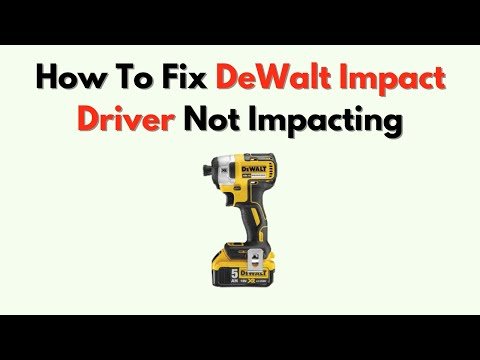
DeWalt Impact Driver Not Impacting: Quick Fixes
A DeWalt impact driver not impacting usually has a battery, mode, bit, motor, or internal hammer problem.
A DeWalt impact driver should spin and then deliver sharp bursts of torque when resistance rises. If it only spins like a normal drill, the fault may be simple, such as a weak battery or wrong speed setting. It may also point to worn internal parts. This guide explains how to test a DeWalt impact driver not impacting, find the real cause, and decide whether repair or replacement makes sense.
What “Not Impacting” Means
An impact driver uses two actions. First, the motor spins the output shaft. Then, a spring-loaded hammer strikes an anvil when the fastener creates enough resistance. These repeated blows create the familiar rattle and add turning force.
When a DeWalt impact driver not impacting, the motor may still sound normal. The chuck may spin, and the LED may work. However, the tool does not produce the short hammering sound or extra torque needed for tight screws and bolts.
A working impact driver does not impact all the time. It usually spins freely at low resistance. The impact action starts when the fastener becomes difficult to turn. Test the tool with a large screw or a bolt, not in open air.
Common signs include:
• The tool spins but never makes an impact sound.
• The driver stops when light pressure is applied.
• The tool impacts weakly compared with normal use.
• The motor runs, but the bit holder slips.
• The tool makes grinding, clicking, or rattling sounds.
• The driver works in reverse but not forward, or the opposite.

Why Is My DeWalt Impact Driver Not Impacting?
Several faults can create the same symptom. Start with easy checks before opening the tool. This saves time and prevents damage to parts that may still be good.
1. The battery is weak or damaged
An impact driver can spin with a weak battery but fail to create strong impacts. The motor needs high current when the hammer mechanism loads up. A worn battery may provide enough power for free spinning but not enough for heavy work.
Try a fully charged battery from the same voltage platform. If possible, test a second battery that works well in another DeWalt tool. Check the battery contacts for dirt, corrosion, or damage.
A battery with a flashing charger light, unusual heat, swelling, or a strong chemical smell should not be used. Recycle it through an approved battery program.
2. The speed selector is in the wrong mode
Many DeWalt impact drivers include electronic speed modes. Some models have a precision setting that limits speed and torque. Other models use a three-position selector for low, medium, and high output.
Set the tool to the highest normal speed for a clear test. Also check the forward, reverse, and center lock position. A selector that sits between positions can cause odd behavior.
Do not assume every DeWalt model uses the same controls. Check the manual for your exact model number, such as DCF887, DCF888, DCF885, DCF850, or another version.
3. The bit or socket is slipping
A worn hex bit can spin inside the chuck. This may look like a failed impact mechanism. Remove the bit and inspect its six-sided shank. Rounded edges, deep grooves, or a twisted tip indicate damage.
Push the bit fully into the 1/4-inch hex chuck. Pull the collar forward, insert the bit, and release the collar. Then tug the bit lightly to confirm that it locks.
For sockets, use a proper impact-rated adapter and socket. A standard chrome socket can crack under impact force. The adapter may also shear or twist, leaving the driver working while the socket does not turn correctly.
4. The chuck collar is stuck
The quick-release collar can collect dust, metal chips, and dried grease. If it cannot move freely, the bit may not seat correctly. A loose bit can absorb much of the impact force.
Remove the battery first. Clean around the collar with a dry brush or compressed air used at a safe pressure. Do not spray unknown solvents into the tool.
If the collar still feels loose or fails to retain bits, the chuck assembly may need replacement.
5. The fastener offers too little resistance
An impact driver does not hammer strongly when there is little load. A short screw entering soft wood may drive without much sound. This does not always mean the tool is broken.
Test it with a longer screw in dense wood or with a suitable bolt and nut. Hold the tool straight and apply steady pressure. Never hold the rotating bit with your hand.
6. The impact mechanism is worn
Inside the tool, the hammer, anvil, spring, pins, and related surfaces work under repeated shock loads. Over time, these parts can wear. The tool may still run, but the hammer no longer catches and strikes with full force.
Typical signs are:
• A motor that spins at normal speed with no impact.
• Weak impact force under a heavy load.
• A metallic clatter or grinding sound.
• Excessive play at the output shaft.
• Grease leaking from the nose or gearbox area.
A DeWalt impact driver not impacting after years of heavy use may need a new impact assembly rather than a battery or switch.
7. The gearbox or internal gear has failed
The gearbox transfers motor power to the hammer system. A broken gear, damaged carrier, or worn bearing can reduce torque. In some cases, the motor sounds fast because it is spinning without proper load transfer.
Stop using the tool if you hear crunching, loud grinding, or repeated skipping. Continued use can spread metal debris through the gearbox and raise the repair cost.
8. The motor or electronic control has a fault
A failed motor usually causes slow speed, stalling, burning smells, or no operation. A damaged electronic module can also limit current. This may allow the tool to spin but prevent it from reaching impact power.
Brushless DeWalt models use electronic controls rather than simple replaceable carbon brushes. Older brushed models may have worn brushes or a damaged commutator. The repair path depends on the exact model.
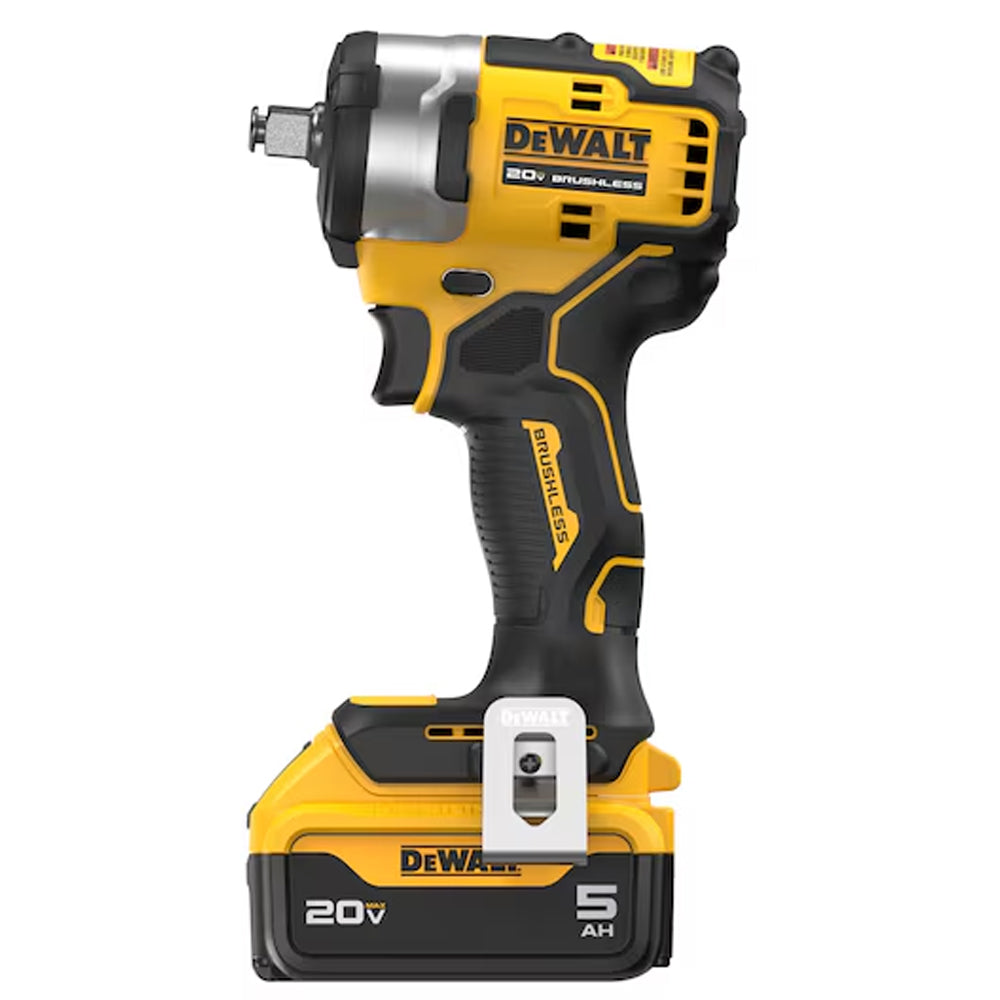
How to Diagnose a DeWalt Impact Driver Not Impacting
Use this process in order. It moves from the safest and easiest checks to the more advanced ones.
Step 1: Check the tool safely
Remove the battery before inspecting the chuck, bit, or housing. Wear eye protection if you test a damaged socket or fastener. Keep loose clothing and fingers away from the rotating output shaft.
Look for cracks, melted plastic, loose screws, and signs of impact damage. Smell the vents for a burnt electrical odor. A burnt smell is a reason to stop testing.
Step 2: Test a known-good battery
Charge the battery fully. Clean the battery terminals with a dry cloth. Fit it firmly into the tool and listen for a steady motor sound.
If a second battery restores impact action, the first battery is likely weak or faulty. If both batteries give the same result, continue with the tool checks.
Step 3: Test forward and reverse
Place the direction switch fully into forward. Test the driver against a suitable fastener. Then repeat in reverse.
If the driver impacts in one direction only, the selector, switch, control board, or mechanical assembly may have a problem. Do not keep forcing the tool in the failed direction.
Step 4: Check the speed mode
Select the standard high-power mode. Avoid precision or low-speed settings during the first test. Squeeze the trigger gradually.
Some electronic modes reduce impact strength by design. This feature helps prevent stripped screws, but it can confuse users who expect full power.
Step 5: Inspect the bit holder
Remove the bit and examine the chuck. The collar should slide smoothly and return to its locked position. Insert a new, high-quality impact-rated bit.
If the bit wobbles badly, falls out, or does not lock, the chuck may be the main fault. A damaged chuck can make a healthy impact mechanism seem weak.
Step 6: Use a controlled load
Drive a large structural screw into a hard piece of wood. Use a new bit. Keep the tool aligned with the screw and apply moderate pressure.
Do not test by clamping the output shaft or holding it with pliers. That can damage the gears and create a serious hand injury.
Step 7: Listen to the sound
Sound gives useful clues:
• No impact sound with normal motor speed may indicate a hammer or anvil problem.
• A rapid clicking sound may indicate worn engagement parts.
• Grinding may indicate damaged gears or bearings.
• A high-pitched electrical whine may indicate motor or control trouble.
• Burning or acrid smells suggest electrical damage.
Sound is helpful, but it cannot identify every failed part. Internal inspection is often needed for a final diagnosis.

How to Fix a DeWalt Impact Driver Not Impacting
The correct fix depends on what the test reveals. Begin with external repairs and stop if the issue moves inside the gearbox.
Replace the battery when needed
Use a compatible DeWalt battery with the correct voltage. A higher-capacity battery may provide longer run time, but it will not repair a damaged impact mechanism.
Do not open a lithium-ion battery pack. The cells and protection circuit can create fire and shock hazards. Replace the pack through a proper service or recycling channel.
Replace the bit or adapter
Install a new impact-rated bit. For bolts, use an impact-rated socket and adapter. Avoid using a long extension unless the job requires it, because extra flex can reduce control and increase breakage risk.
A fresh bit is often the cheapest repair. It also prevents damage to screw heads and fasteners.
Clean the chuck and vents
Remove the battery. Brush away dust around the chuck and air vents. Use short bursts of clean, dry air if available.
Do not flood the tool with oil. Oil can attract grit and may damage plastic or electronic parts. Use only lubricants specified for the model and location.
Tighten loose external hardware
Loose housing screws can create vibration and noise. With the battery removed, check visible screws and fasteners. Tighten them gently with the correct driver bit.
Do not overtighten plastic housing screws. The plastic posts can strip easily.
Service the impact assembly
If the motor runs but the tool will not hammer under load, the impact assembly may require service. Depending on the model, the repair may involve the hammer, anvil, spring, pins, washers, bearings, or gearbox.
Internal repair is not ideal for every user. It requires clean work, correct parts, proper grease, and a model-specific parts diagram. A wrong spring or washer can cause poor performance or early failure.
Seek professional repair
Professional service is the safer choice when:
• The tool is under warranty.
• The housing is cracked or burned.
• The gearbox makes grinding sounds.
• Metal particles appear in the grease.
• The control board or brushless motor may have failed.
• You do not have experience with spring-loaded mechanisms.
Check warranty terms before opening the housing. Unauthorized disassembly may affect coverage, depending on the damage and service policy.
Common Mistakes to Avoid
Troubleshooting can create more damage if done in a hurry. These mistakes appear often in home workshops and job sites.
• Do not keep using a tool that smells burnt.
• Do not test impact strength by gripping the shaft.
• Do not use a standard chrome socket for impact work.
• Do not force a stuck bit with pliers while the battery is installed.
• Do not spray penetrating oil into the motor or electronics.
• Do not mix batteries from different voltage platforms.
• Do not assume a loud noise means strong torque.
• Do not open a battery pack to replace individual cells.
One practical lesson is simple: test one variable at a time. Change the battery, then the bit, then the mode. If you change everything at once, you may find the symptom but miss the cause.
Another useful habit is to compare the tool with a known-good driver under the same load. Use the same battery type, bit, screw, and material. This gives a fair comparison instead of relying only on sound.

Repair or Replace: Which Option Makes Sense?
A small external repair often makes sense. A new bit, battery, or chuck can restore a tool at a reasonable cost. Internal repairs require more thought.
Consider repair when:
• The tool is a premium model.
• The housing and motor are in good condition.
• Replacement parts are available.
• You can complete the work safely.
• A qualified repair center offers a fair estimate.
Consider replacement when:
• The tool has several faults.
• The battery and charger are also failing.
• The gearbox and control board are damaged.
• Repair costs approach the price of a new tool.
• The model is heavily worn or obsolete.
A repair estimate should include parts, labor, shipping, and downtime. For a daily professional tool, reliability may matter more than saving a small amount.
Manufacturers and repair centers may use different parts for different revisions of the same model. Match the complete model number and type number before ordering components.

How to Prevent Impact Problems
Good use reduces wear on the hammer, anvil, chuck, and gearbox. It also helps the tool deliver consistent torque.
• Use the correct DeWalt battery and charger.
• Keep the bit straight with the fastener.
• Use impact-rated bits and sockets.
• Let the tool work without excessive side pressure.
• Avoid driving screws after the head is fully seated.
• Keep vents clear during long jobs.
• Store the tool in a dry place.
• Remove the battery before transport or cleaning.
• Check bits and adapters for wear often.
• Allow a hot tool to cool before heavy use.
Impact drivers are powerful, but they are not magic. They are best for driving screws, lag bolts, and smaller fasteners. A larger impact wrench is better for high-torque automotive or structural work.
The most common long-term mistake is using an impact driver as a drill with large hole saws or demanding bits. That can create heat and shock loads beyond the tool’s intended use.

When a DeWalt Impact Driver Is Working Normally
A healthy impact driver may behave differently from a drill. It can sound quiet during free spinning, then produce sharp impacts as resistance increases. The impact sound may also change with the selected speed mode.
The tool should not impact strongly when the bit is turning freely in the air. It needs resistance to make the hammer engage. This is why a correct test uses a real fastener and suitable material.
Some electronic controls also soften startup and reduce power in lower modes. Read the instructions for your exact model before judging performance. Model differences are important, especially between compact, high-torque, brushed, and brushless versions.

Frequently Asked Questions About DeWalt Impact Driver Not Impacting
Why is my DeWalt impact driver spinning but not impacting?
A weak battery, wrong electronic mode, worn bit, damaged chuck, or failed hammer assembly can cause this symptom. Test a charged battery, a new impact-rated bit, and a loaded fastener before opening the tool.
Can a bad battery cause a DeWalt impact driver not impacting?
Yes. A weak battery may run the motor without supplying enough current for strong impact action. Test the tool with a fully charged, known-good battery from the correct DeWalt voltage platform.
How do I test the impact function safely?
Install a good bit and drive a suitable screw into dense wood or test a bolt with a nut. Keep your hands away from the rotating parts, and never clamp or hold the output shaft.
Should I oil my DeWalt impact driver?
Do not pour oil into the chuck, vents, motor, or electronics. Clean the tool with a dry brush or controlled air, and use only the lubricant listed for internal service on your specific model.
Is a DeWalt impact driver worth repairing?
Repair may be worthwhile when the tool is a premium model with a good motor and housing. If the gearbox, electronics, battery, and chuck all show wear, replacement may be more practical.
Why does my DeWalt impact driver impact weakly?
Weak impacts may result from a low battery, precision mode, worn bit, poor socket connection, or worn internal parts. Compare it with a known-good tool using the same battery and fastener.
Can I replace the impact mechanism myself?
An experienced person may replace internal parts with the correct manual, diagram, tools, and grease. If the tool is under warranty or the gearbox contains spring-loaded parts, professional service is safer.
Conclusion
A DeWalt impact driver not impacting is often caused by a weak battery, incorrect mode, worn bit, or loose chuck. If those checks fail, the hammer, anvil, spring, gearbox, motor, or electronic control may need service.
Work through the diagnosis in order. Use a safe test load, replace simple parts first, and stop when you find burning, grinding, cracked housing, or internal damage. Take a few minutes to identify the exact model, check warranty coverage, and compare repair costs before choosing your next step. Share your model number and symptoms in the comments, or explore more tool-care guides for practical workshop advice.