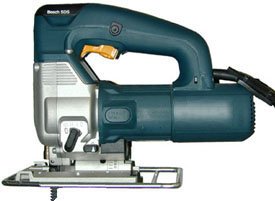
Jigsaw Vibrating Excessively: Causes And Easy Fixes
Excessive jigsaw vibration usually comes from a dull blade, loose parts, poor support, or a worn tool component.
A jigsaw should cut with a steady, controlled motion. When it starts shaking hard, the problem can affect cut quality, user comfort, and safety. This guide explains why a jigsaw vibrating excessively happens, how to find the cause, and which fixes are safe to try first.
Why Is Your Jigsaw Vibrating Excessively?
A jigsaw vibrating excessively is often a sign that the blade, shoe, or moving parts are not working smoothly. Some vibration is normal because the blade moves up and down at high speed. Strong shaking, rattling, or side-to-side movement is not normal.
The most common causes include:
• A bent, dull, or damaged blade
• A blade that is not fully locked into the holder
• A loose shoe plate or guide roller
• A worn blade clamp or internal bearing
• Cutting material that is not held firmly
• Excessive speed or the wrong orbital setting
• Dirt, dust, or resin inside the blade area
• A damaged gear, armature, or counterweight
A useful way to think about the problem is to compare the jigsaw with a washing machine. A small movement is expected. Violent shaking usually means that one part is out of balance or not held securely.

Common Causes of Excessive Jigsaw Vibration
Dull or damaged jigsaw blade
The blade is the first part to inspect. A dull blade needs more force to cut. That extra force can make the tool twist, chatter, and vibrate through the workpiece.
A bent blade can also pull the saw to one side. Even a small bend may cause noticeable shaking at high speed. Replace the blade if you see bent teeth, missing teeth, blue heat marks, or uneven wear.
Choose the blade for the material:
• Use fine teeth for metal and thin plastics.
• Use medium teeth for plywood and general woodwork.
• Use coarse teeth for fast cuts in thick wood.
• Use special blades for laminate, tile, or other hard materials.
Never keep using a blade simply because it still cuts. A blade that cuts slowly or leaves burn marks may already be creating excess vibration.
Loose blade installation
A jigsaw vibrating excessively may have a blade that is only partly seated. Quick release holders need the blade shank to enter fully into the clamp. If it does not lock, the blade may wobble or move out during use.
Remove the battery or unplug the tool before checking the blade. Pull the blade gently after installation. It should remain secure, with only the normal movement allowed by the tool mechanism.
Loose shoe plate
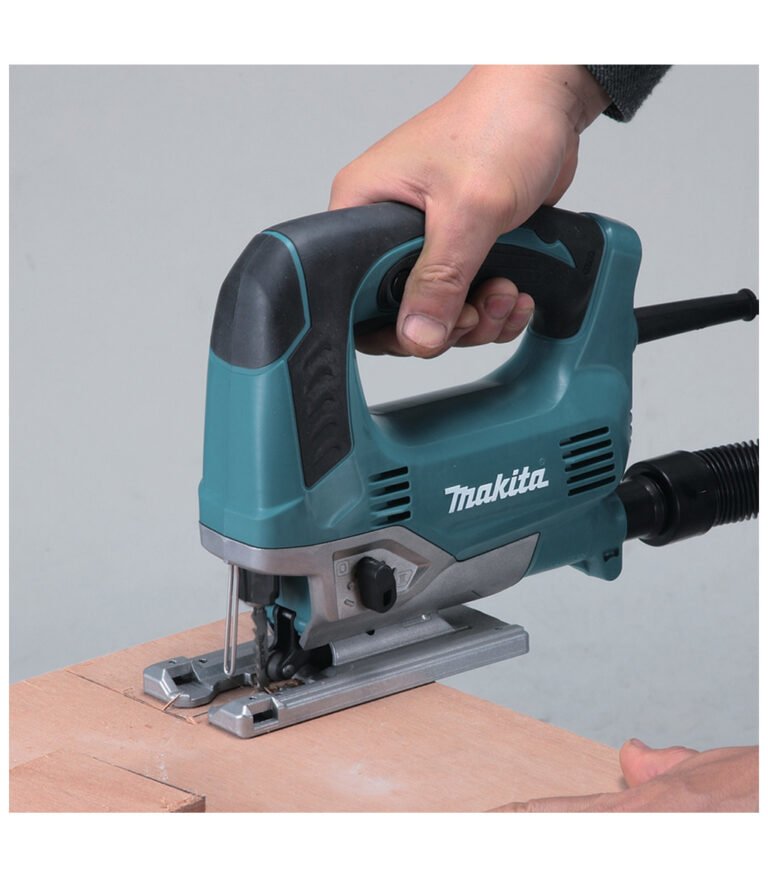
The metal base, often called the shoe or sole plate, keeps the jigsaw steady on the material. If its screws are loose, the shoe can rattle against the housing.
Check the screws and locking lever before each major project. Tighten them according to the tool manual. Do not overtighten small screws, as this can damage the threads or distort the shoe.
Worn guide roller
Many jigsaws have a small support roller behind the blade. It helps guide the blade during a cut. If the roller is stuck, worn, or too far from the blade, the blade can move backward and forward.
Turn off the tool and inspect the roller. It should spin freely and touch the back of the blade without forcing it sideways. Replace a rough or damaged roller instead of applying large amounts of oil near the blade area.
Poor support under the workpiece
The jigsaw may be working correctly while the material causes the vibration. A loose board, thin sheet, or unsupported panel can shake like a drum.
Support the workpiece close to the cut line. Use clamps when possible. Keep the cutting area clear so the board does not drop, pinch the blade, or shift during the cut.
How to Diagnose a Jigsaw Vibrating Excessively
A careful test can help you find the source without guessing. Always unplug a corded model or remove the battery from a cordless model before touching the blade or moving parts.
Use this simple process:
- Inspect the blade for bends, dull teeth, cracks, and heavy wear.
- Install a new blade that matches the material.
- Check that the blade is locked fully into the holder.
- Inspect the shoe, guide roller, and visible screws.
- Clean dust from the blade clamp and air vents.
- Run the tool briefly without touching the workpiece.
- Test it on a small scrap piece held firmly with a clamp.
- Compare the vibration at low and high speed.
If the jigsaw vibrates while running in the air, the cause may be internal. If it only vibrates during cutting, the blade, material, speed, or cutting pressure is more likely to be responsible.
Listen to the sound as well. A steady motor hum is usually normal. A grinding, clicking, knocking, or harsh rattling sound can point to a bearing, gear, or arm problem.
Stop testing if the tool smells hot, produces smoke, sparks heavily, or becomes difficult to control. A short test is useful, but continued operation can turn a small repair into a serious failure.
Safe Fixes for Excessive Jigsaw Vibration
Replace the blade
A new blade is often the fastest and least expensive solution. Select a blade with the correct shank style for your jigsaw. T-shank blades are common, but some older tools use U-shank blades.
Match the blade length to the material. The teeth should extend below the workpiece during the cut, but an overly long blade may flex more than needed.
Tighten the shoe and guide parts
Check the shoe screws, bevel lock, and guide roller. Use the correct screwdriver or hex key to avoid damaging the fasteners.
Do not operate the tool with a cracked shoe. A damaged shoe can make accurate cutting difficult and may allow the blade to bind.
Clean the tool
Fine dust can collect around the blade holder, guide roller, and cooling vents. Unplug the tool and use a soft brush or compressed air made for equipment cleaning.
Keep compressed air pressure moderate. Very high pressure can push dust deeper into bearings or electrical parts. Never spray water into the housing.
Reduce cutting pressure
Let the blade do the work. Pushing hard can bend the blade and increase side load on the guide roller. It can also make the jigsaw cut away from your marked line.
Use a steady feed rate. If the blade slows sharply, reduce pressure or choose a more suitable blade.
Adjust speed and orbital action
High speed is useful for many wood cuts, but it can increase heat and vibration in thin or delicate materials. Metal and plastic often need a slower speed.
Orbital action moves the blade slightly forward on the upstroke. It can speed up wood cutting, but a high orbital setting may create rougher cuts and more movement.
Start with these settings:
• Low orbital action for metal, plastic, and clean cuts
• Medium orbital action for general plywood and softwood
• High orbital action for fast cuts in thick, soft wood
Always follow the tool manual because settings vary by model.

Cutting Techniques That Reduce Jigsaw Vibration
Good technique can prevent a jigsaw vibrating excessively even when the tool is in good condition. Mark the cut clearly, then place the shoe flat on the material before starting the motor.
Allow the blade to reach the selected speed before moving forward. Keep both hands in safe positions and keep the power cord or battery clear of the cut path.
For long cuts, use a straightedge or guide rail. A guide can reduce side pressure and help prevent the blade from twisting. It also improves accuracy on plywood, countertops, and cabinet panels.
When cutting curves, move slowly and turn the tool with the curve. Do not twist the body of the jigsaw to force the blade around a tight corner. Forcing the tool creates side load and may cause the blade to bend or break.
For thin sheet metal, place the material between two thin boards when practical. This adds support and can reduce chatter. Use a blade made for metal, apply the correct cutting lubricant if the manual permits it, and wear suitable eye protection.
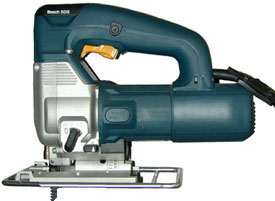
When Internal Jigsaw Parts May Be Worn
If a jigsaw vibrating excessively continues after you install a new blade and tighten the visible parts, the issue may be inside the housing.
Possible internal faults include:
• Worn bearings
• A damaged reciprocating arm
• Loose gears
• A bent blade shaft
• A damaged counterweight
• Motor imbalance
• Broken internal mounts
Internal problems often create vibration during no-load operation. They may also produce grinding, clicking, or a burning smell.
Do not open the housing unless you are trained to repair power tools and can follow the manufacturer’s service instructions. Some tools contain capacitors, sharp parts, or components that require special alignment.
Take the tool to an authorized repair center if it is under warranty. For an older, low-cost jigsaw, compare the repair price with the cost of a new tool. A worn bearing may be worth replacing on a professional model but not on a basic household model.
Safety Risks of Excessive Jigsaw Vibration
A jigsaw vibrating excessively is more than an annoyance. It can reduce control and increase the chance of a crooked cut, blade breakage, or sudden movement.
Long periods of tool vibration may also cause hand discomfort and numbness. Workplace safety guidance recommends limiting exposure to vibrating tools, taking breaks, and maintaining equipment in good condition. The exact risk depends on vibration level, use time, grip force, and the type of work.
Use these safety habits:
• Wear safety glasses or a face shield when appropriate.
• Keep the workpiece clamped and stable.
• Hold the jigsaw with a firm but relaxed grip.
• Keep hands away from the blade path.
• Unplug the tool before changing blades.
• Do not use a damaged cord or battery.
• Stop if the tool becomes hard to control.
• Let the blade stop fully before setting the tool down.
Hearing protection can also help during long cutting sessions. A clean, sharp blade is safer because it needs less force and reduces the chance of binding.
Mistakes to Avoid When a Jigsaw Shakes
One common mistake is tightening every screw without checking the blade. A loose shoe can cause vibration, but a damaged blade is much more common and easier to fix.
Another mistake is pushing harder when the cut becomes rough. More pressure usually makes the blade flex. Stop, inspect the blade, and check whether the material is supported.
Avoid using a jigsaw blade that is too short, too thin, or designed for a different material. The wrong blade can overheat and wander, even when the tool itself is working properly.
Do not ignore new sounds. A small rattle may be an early warning of a loose part. Addressing it early can protect the motor, gears, and guide system.
A practical workshop lesson is simple: change one factor at a time. Install a new blade first. Then check the shoe and guide roller. This method makes the real cause easier to identify than changing several settings at once.
Preventive Maintenance for a Smooth Jigsaw
Regular maintenance helps prevent a jigsaw vibrating excessively. Before each project, inspect the blade, shoe, power cord, battery contacts, and visible fasteners.
After use, brush away dust from the blade area and vents. Store blades in a dry container so their teeth do not bend or rust. Keep the tool in a case or drawer where it will not receive impact damage.
Follow the maintenance schedule in the owner’s manual. Some tools use sealed bearings and need no added oil. Adding oil in the wrong place can attract dust or damage electrical parts.
Replace blades early when they become dull. Blade cost is small compared with the time lost from poor cuts or the risk of damaging the workpiece.
Frequently Asked Questions About Jigsaw Vibrating Excessively
Is some vibration normal on a jigsaw?
Yes. A jigsaw naturally vibrates because its blade moves rapidly up and down. Strong shaking, loud rattling, or side-to-side movement suggests a fault, poor setup, or unsuitable cutting method.
Can a dull blade make a jigsaw vibrate excessively?
Yes. A dull blade creates more resistance and needs more pushing force. This can cause chatter, blade flex, rough cuts, and noticeable vibration.
Why does my jigsaw vibrate only when cutting?
The workpiece may be loose, thin, or poorly supported. The blade may also be pinching, too aggressive for the material, or forced through the cut too quickly.
Should I use a higher or lower speed to reduce vibration?
Try a lower speed for metal, plastic, and thin materials. For wood, use a speed and orbital setting that match the blade and material, then let the blade cut without heavy pressure.
Is it safe to use a jigsaw that shakes badly?
No. A severely shaking jigsaw can reduce control and may have a loose or damaged part. Stop using it, disconnect the power, inspect the blade and shoe, and arrange professional service if the problem remains.
When should I replace my jigsaw?
Consider replacement when the tool has internal damage, repeated vibration, unsafe electrical faults, or repair costs close to the price of a reliable new model. A professional repair may still be worthwhile for a durable, high-quality jigsaw.
Conclusion
A jigsaw vibrating excessively usually has a clear cause, such as a dull blade, loose shoe, poor support, wrong speed, or worn internal part. Start with the simple checks: disconnect power, replace the blade, secure the workpiece, inspect the shoe, and clean the tool.
If vibration continues during no-load testing, stop using the jigsaw and seek qualified service. Apply these checks before your next cut, and share your experience or questions in the comments to help other DIY users solve the same problem safely.